- References
- OData 데이터 모델 (Microsoft)
- Service Development Help (webMethods)

- OData (Open Data Protocol)
- RESTful 웹 서비스를 위한 프로토콜로 클라이언트와 서버 간 데이터 통신을 위한 표준화 된 프로토콜
- Microsoft가 개발한 프로토콜로 다양한 플랫폼과 언어에서 사용할 수 있도록 설계
- Query를 통해 웹 상에서 손쉽게 데이터를 조회 수정 등을 (CRUD) 할 수 있도록 주고 받는 웹 프로토콜 (SQL for Web)
- HTTP(S)를 통해 통신하며, XML 또는 JSON 과 같은 표준 데이터 형식을 지원
- OData Data Version 4.0 까지 공개 되었지만 v2.0 표준 (2023 기준)
- OData 의 엔티티 데이터 모델 (EDM)
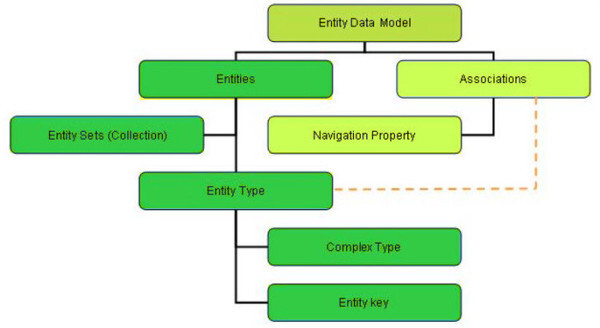
Entity | - Entity Types 의 인스턴스
- RDBMS SAP 의 Record 와 동일 |
Entity types | - 속성과 Key 로 구성된 구조체
- RDBMS, SAP ABAP의 Table과 동일 |
Complex types | - Key가 아닌 일련의 속성 목록으로 구성된 구조체
- 키가 없는 구조이므로 엔티티의 속성 값이나 임시 값으로 존재 가능
- 외부 엔티티에서 Complex Types은 참조할 수 없음 |
Properties | - 미리 선언 된 속성 값들의 구조체
- 선언 되지 않은 추가 동적 속성을 포함 가능 (단, 선언된 속성과 동일한 이름 불가)
- RDBMS 관점에서 테이블 속성 값들의 집합으로, 필드들을 묶는 구조체 |
Relationships | - 하나의 Entity 와 다른 Entity 간 관계로 Navigation Property 표현 됨
- Entity Type 일부로 정의되지만, 동적 Navigation Property 도 가능 |
Enumeration | - 기본 정수 값을 가진 상수 값 |
Entity sets | - Entity 모음
- Entity 마다 고유 키 값이 있으며, Entity Sets 내의 Entity 를 식별 |
[데이터 모델 예시 - XML]
<?xml version="1.0"?><service xmlns:atom="http://www.w3.org/2005/Atom" xmlns:app="http://www.w3.org/2007/app" xmlns="http://www.w3.org/2007/app" xml:base="https://services.odata.org/V2/Northwind/Northwind.svc/"><workspace><atom:title>Default</atom:title><collection href="Categories"><atom:title>Categories</atom:title></collection><collection href="CustomerDemographics"><atom:title>CustomerDemographics</atom:title></collection><collection href="Customers"><atom:title>Customers</atom:title></collection><collection href="Employees"><atom:title>Employees</atom:title></collection>....
- Collection (≈ Entity Sets) 은 Entity 를 이루는 하나 의 단위
- 각 데이터 모델의 Entry Points 를 제공
<?xml version="1.0" encoding="utf-8"?><feed xml:base="https://services.odata.org/Northwind/Northwind.svc/" xmlns="http://www.w3.org/2005/Atom" xmlns:d="http://schemas.microsoft.com/ado/2007/08/dataservices" xmlns:m="http://schemas.microsoft.com/ado/2007/08/dataservices/metadata"><id>https://services.odata.org/Northwind/Northwind.svc/Customers</id><title type="text">Customers</title><updated>2020-05-12T12:04:37Z</updated><link rel="self" title="Customers" href="Customers" /><entry><id>https://services.odata.org/Northwind/Northwind.svc/Customers('ALFKI')</id><category term="NorthwindModel.Customer" scheme="http://schemas.microsoft.com/ado/2007/08/dataservices/scheme" /><link rel="edit" title="Customer" href="Customers('ALFKI')" /><link rel="http://schemas.microsoft.com/ado/2007/08/dataservices/related/Orders" type="application/atom+xml;type=feed" title="Orders" href="Customers('ALFKI')/Orders" /><link rel="http://schemas.microsoft.com/ado/2007/08/dataservices/related/CustomerDemographics" type="application/atom+xml;type=feed" title="CustomerDemographics" href="Customers('ALFKI')/CustomerDemographics" /><title /><updated>2020-05-12T12:04:37Z</updated><author><name /></author><content type="application/xml"><m:properties><d:CustomerID>ALFKI</d:CustomerID><d:CompanyName>Alfreds Futterkiste</d:CompanyName><d:ContactName>Maria Anders</d:ContactName><d:ContactTitle>Sales Representative</d:ContactTitle><d:Address>Obere Str. 57</d:Address><d:City>Berlin</d:City><d:Region m:null="true" /><d:PostalCode>12209</d:PostalCode><d:Country>Germany</d:Country><d:Phone>030-0074321</d:Phone><d:Fax>030-0076545</d:Fax></m:properties></content></entry><entry><id>https://services.odata.org/Northwind/Northwind.svc/Customers('ANATR')</id><category term="NorthwindModel.Customer" scheme="http://schemas.microsoft.com/ado/2007/08/dataservices/scheme" /><link rel="edit" title="Customer" href="Customers('ANATR')" /><link rel="http://schemas.microsoft.com/ado/2007/08/dataservices/related/Orders" type="application/atom+xml;type=feed" title="Orders" href="Customers('ANATR')/Orders" /><link rel="http://schemas.microsoft.com/ado/2007/08/dataservices/related/CustomerDemographics" type="application/atom+xml;type=feed" title="CustomerDemographics" href="Customers('ANATR')/CustomerDemographics" /><title /><updated>2020-05-12T12:04:37Z</updated><author><name /></author><content type="application/xml"><m:properties><d:CustomerID>ANATR</d:CustomerID><d:CompanyName>Ana Trujillo Emparedados y helados</d:CompanyName><d:ContactName>Ana Trujillo</d:ContactName><d:ContactTitle>Owner</d:ContactTitle><d:Address>Avda. de la Constitución 2222</d:Address><d:City>México D.F.</d:City><d:Region m:null="true" /><d:PostalCode>05021</d:PostalCode><d:Country>Mexico</d:Country><d:Phone>(5) 555-4729</d:Phone><d:Fax>(5) 555-3745</d:Fax></m:properties></content></entry>... (중략)
- [GET] 호출 예시로 Entity Set 에 매핑 된 데이터를 로드 할 수 있음
- 호출 시 파라미터에 $format=json 을 입력하여 JSON 변환 된 응답 값 확인 가능
※ webMethods OData Service 이해
- webMethods OData Service 상세
 OData Service 생성 아이콘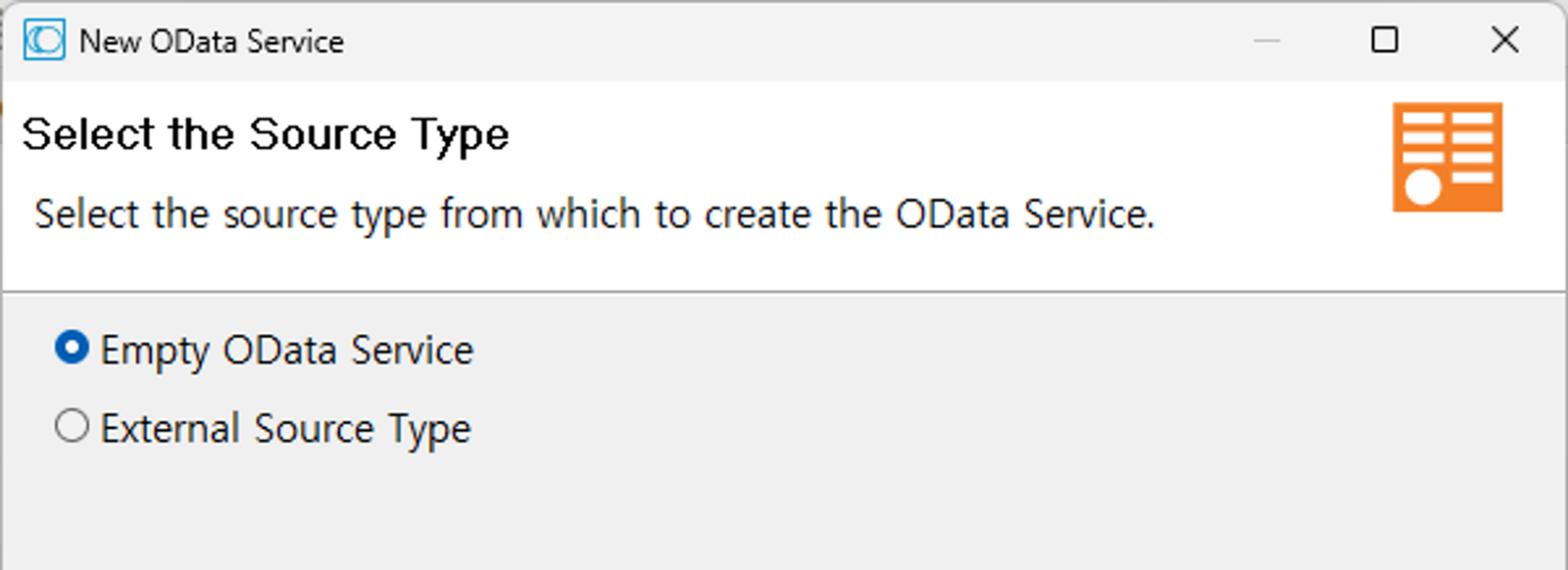
- OData Service
- OData 엔티티 데이터 모델을 노출하는 서비스 (Entry Points)
- OData Service Provider로 외부에는 Entity Sets (Collection) 의 역할을 하는 서비스
- 생성 된 Service 내에서 Entity, Properties, Association 을 선언 하여 데이터 모델을 생성
- Empty OData Service / External Source Type 생성 지원 (v.10.15 기준)
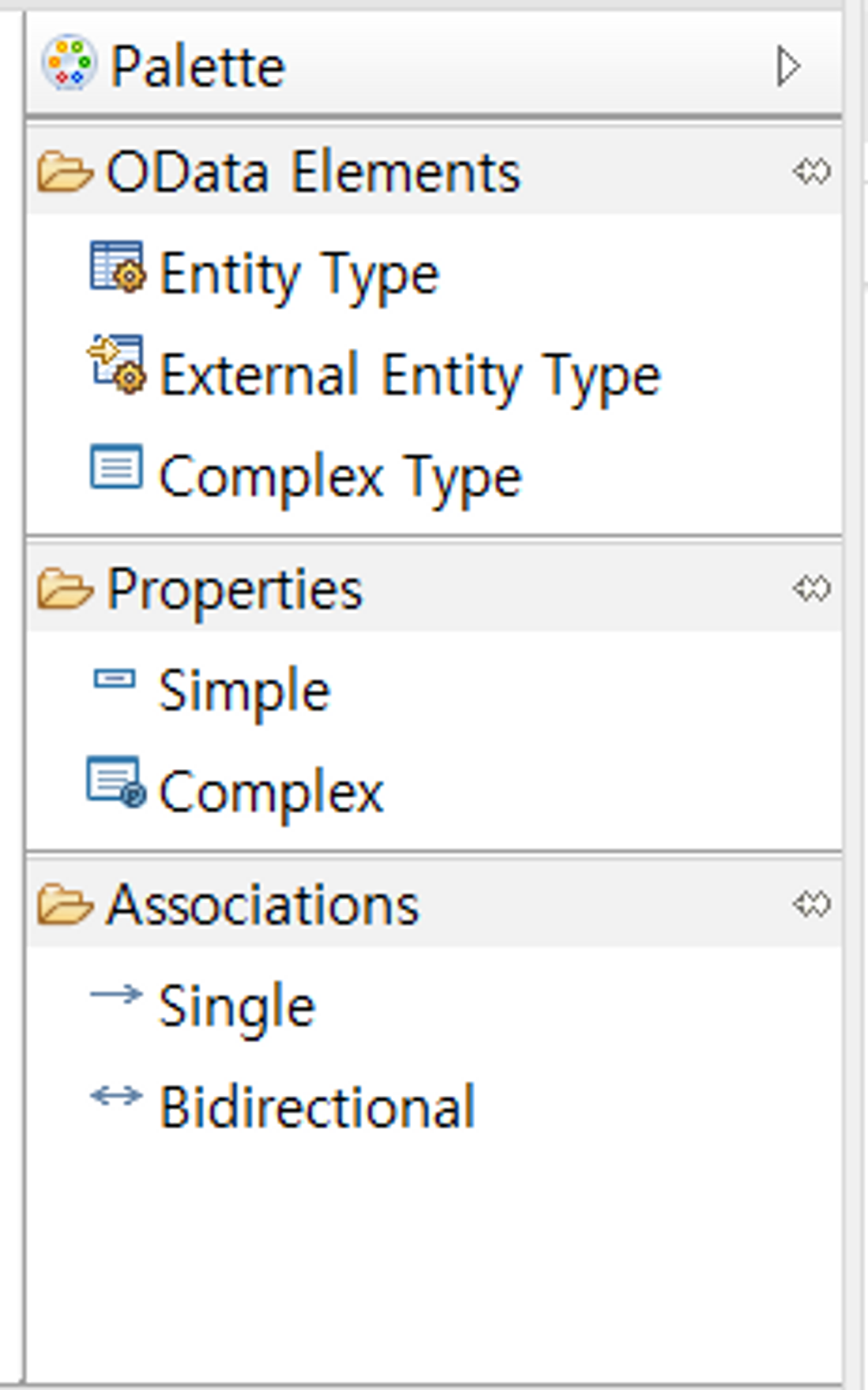
Empty OData Service
- OData Elements
Entity Type | - Entity 생성 컴포넌트 |
External Entity Type | - External Source Service 로 생성 하는 방법
- JDBC Connection 사용 시 RDBMS의 테이블과 매핑 |
Complex Type | - 다중 속성 세트를 정의하기 위한 컴포넌트
- webMethods 내에 선언 한 Entity 에서 사용 (Properties > Complex 로 매핑) |
- Properties
Simple | - 단일 속성 정의
- RDBMS 의 Column (Field) 선언 |
Complex | - 다중 속성 정의
- Complex Type 에서 미리 정의된 속성 세트를 사용하기 위한 컴포넌트 |
- Associations
Single | - 두 엔티티 간 단 방향 관계일 때 선언 |
Bidirection | - 두 엔티티 간 양 방향 관계일 때 선언 |
※ webMethods OData Service Development Guide
STEP 1. OData Service 생성

STEP 2. Entity Type 생성
2-1. Entity Type 생성
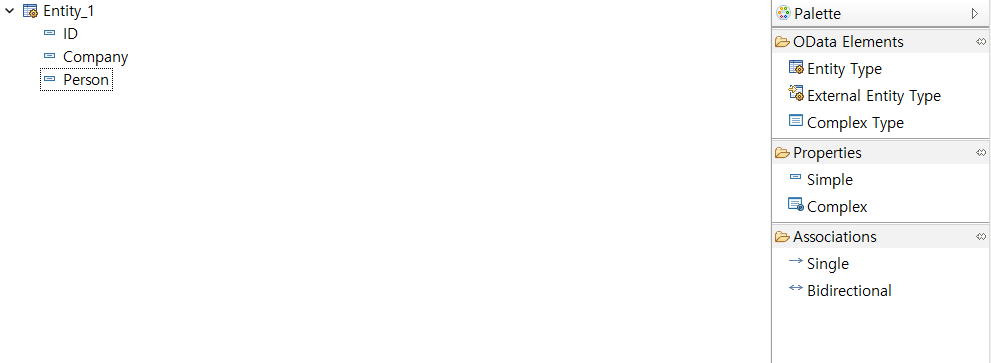
Entity Type 을 생성 후, Simple Properties 를 사용하여 다음과 같이 정의
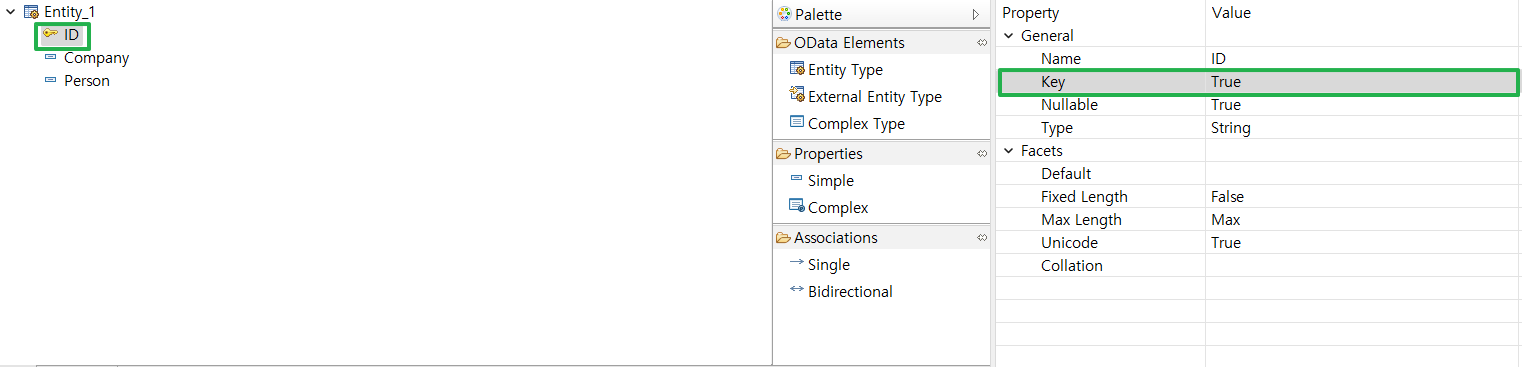
키 값으로 사용할 속성 값을 우측 Property 탭에서 Key > True 로 설정
2-2. External Entity Type 생성 (JDBC Connection 사용)
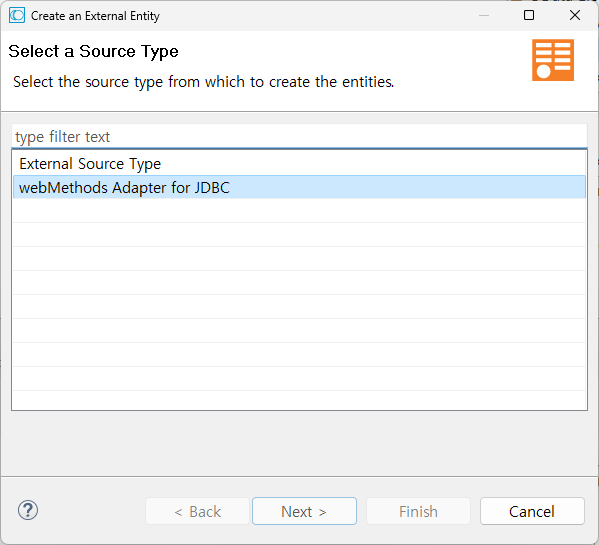
JDBC Adapter 선택
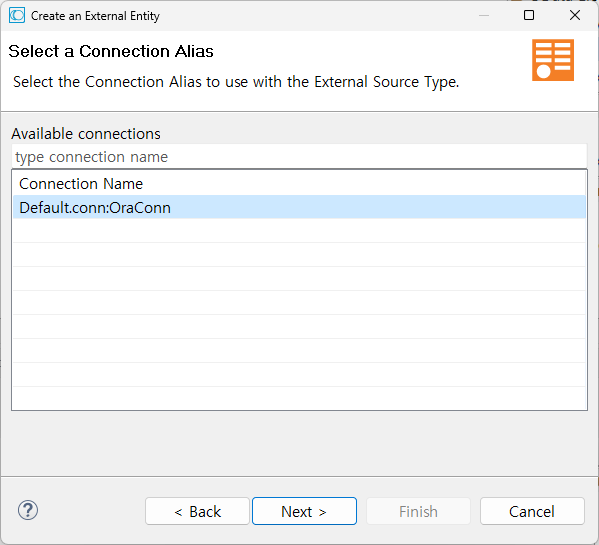
미리 생성 된 JDBC Connection 선택
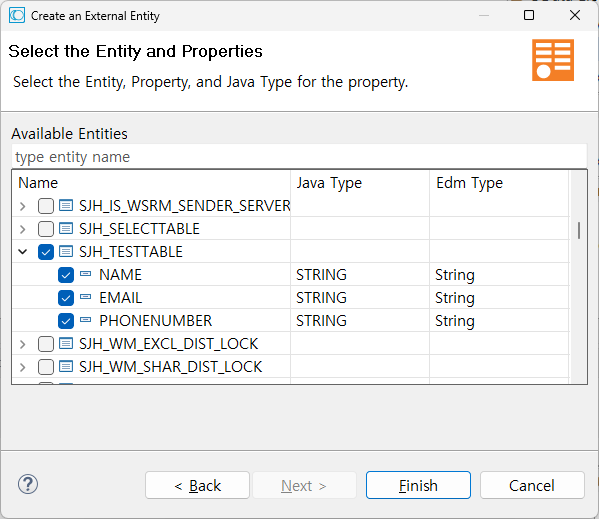
OData Service 에서 사용 할 Entity 와 Properties 선택 후 Finish
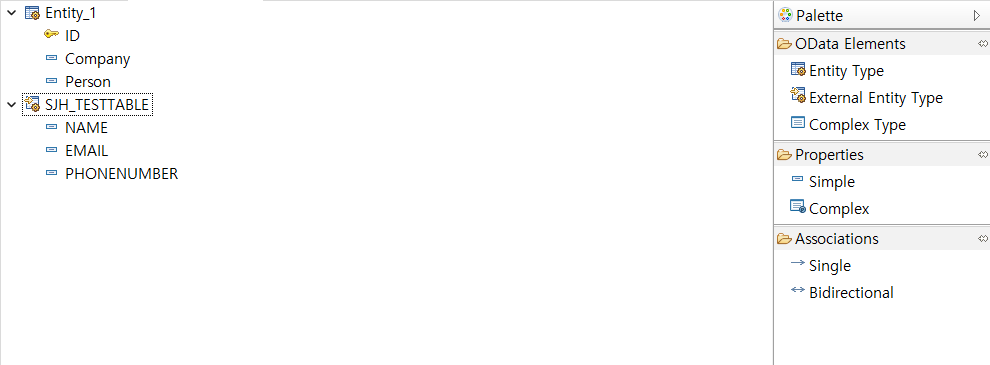
생성 완료
[추가 참고]
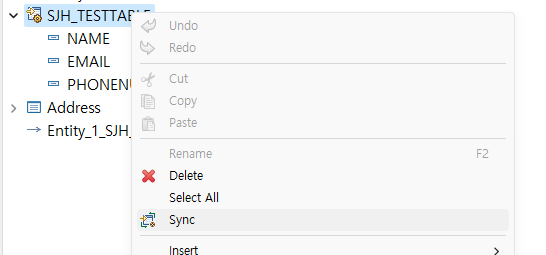

생성 후 테이블의 내용이 변경 (ex. Key값 변경 등) 될 때 Sync 를 통해 Refresh
2-3. Complex Type 생성
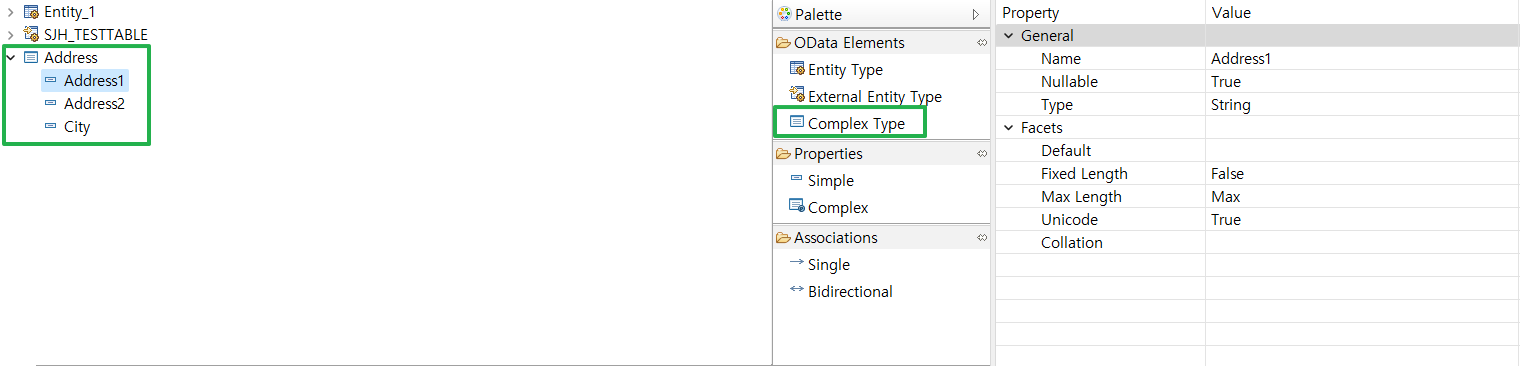
Complex Type 으로 다중 속성 세트를 생성 후 Simple 속성 정의
Complex Type 으로 선언된 Simple Properties 들은 Key 값 불가능 (Property 탭 확인)
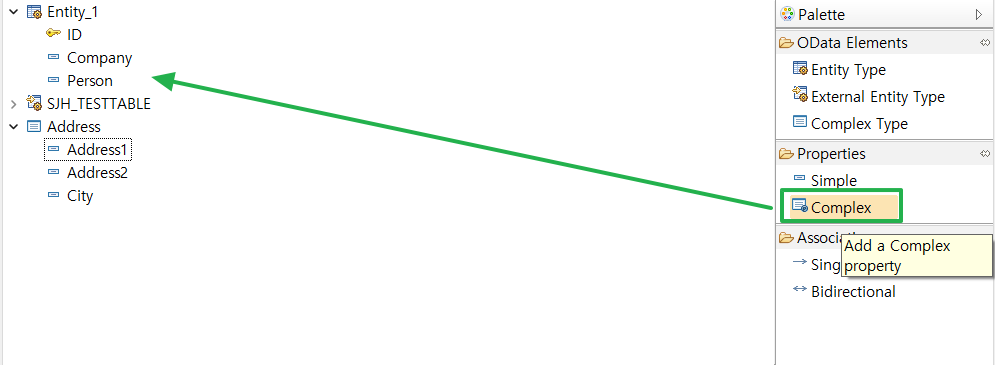
정의한 Complex Type 을 미리 정의한 Entity_1 에 Add
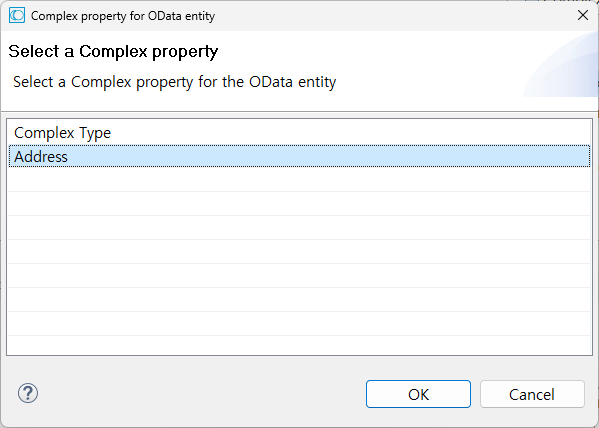
사용할 Complex Type 선택
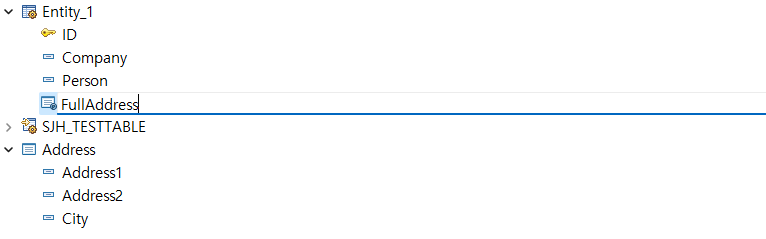
다중 속성 명명

확인
2-4. Associations 설정 (Single)
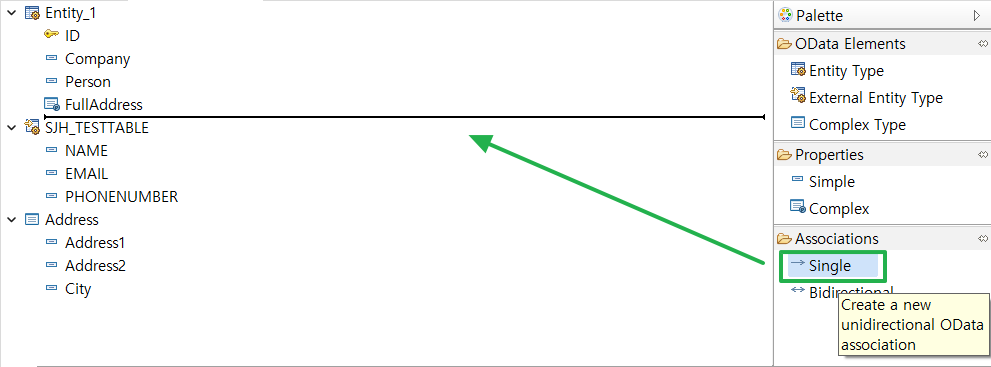
Entity_1 에 SJH_TESTTABLE Entity 연결
(= Entity_1에서 SJH_TESTTABLE 엔티티 간 Single Association 생성)
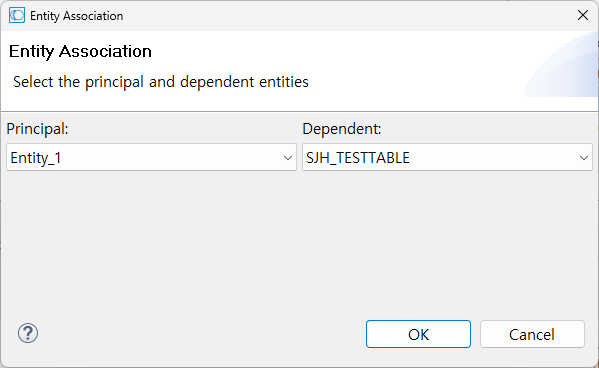
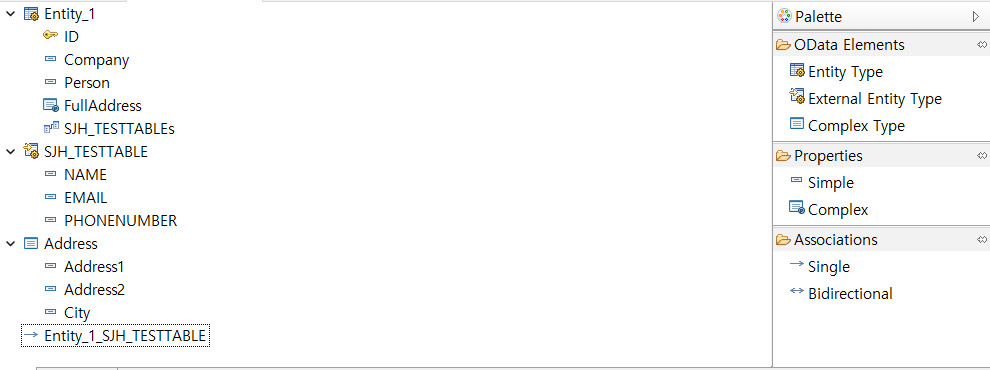
최종 생성 후 CTRL + S 저장
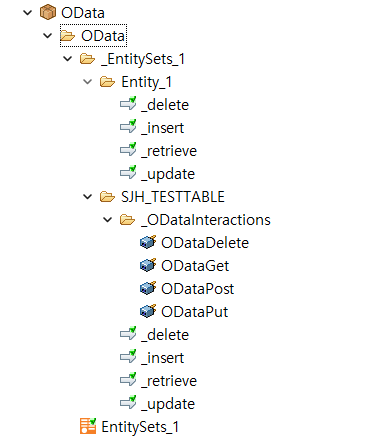
서비스를 저장하면 CRUD Flowservice 가 자동으로 생성
External Source 타입의 Entity 의 경우 Adapter Service 가 자동으로 생성

생성 한 Empty Entity (EntitySets_1)
Input/Output 탭에서 OData Prameter 와 선언한 속성들이 자동으로 생성됨
STEP 3. OData 호출 (POSTMAN)
사전세
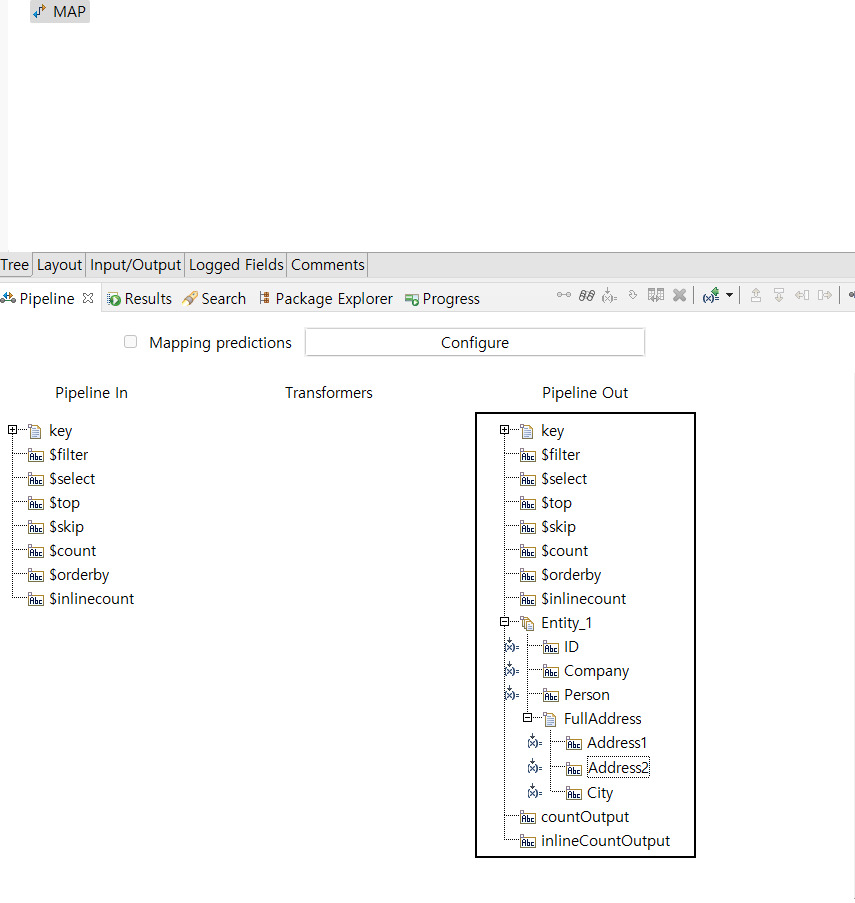
테스트 용 서비스 생성 (OData._EntitySets_1.Entity_1:_retrieve)
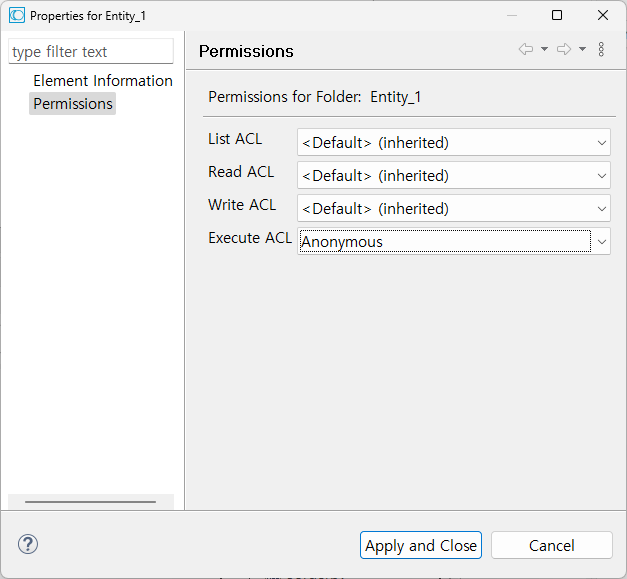
호출 할 Entity와 CRUD 서비스에 대해 Permission 을 Anonymous 로 설정 필요
3-1. Entity Sets (Collection) 확인 호출
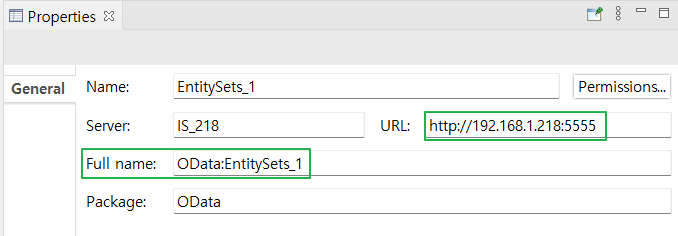
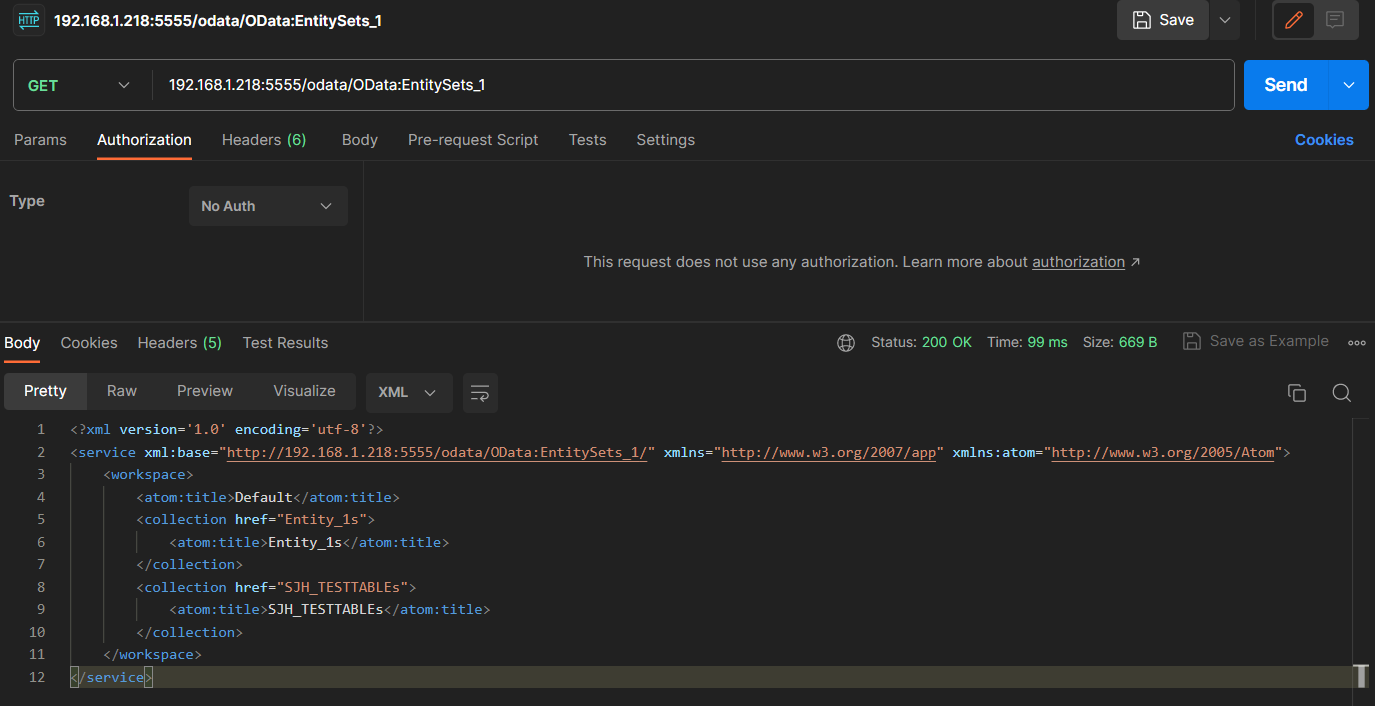
[GET] http://HOST:PORT/odata/{OData Service Full Name} 호출
→ Entity Sets 확인 가능
Note. 생성된 Entity Set 은 뒤에 s 가 자동으로 붙어 저장되므로 호출 시 주의 필요
3-2. GET All Entity
→ [GET] http://HOST:PORT/odata/{OData Service Full Name}/Entity명+’s’ 으로 호출

예시 1. [GET] 192.168.1.218:5555/odata/OData:EntitySets_1/SJH_TESTTABLEs - External source Entity Type
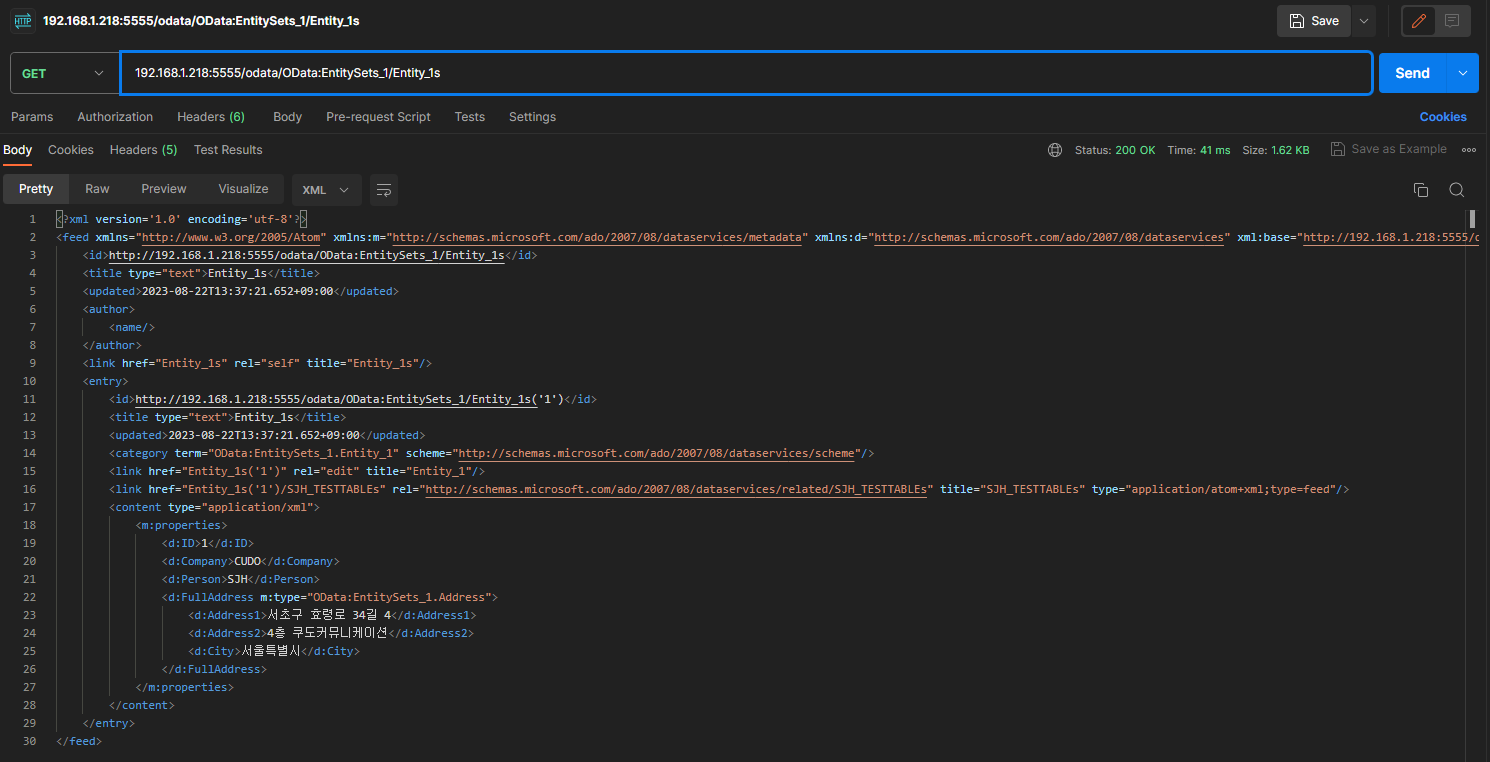
예시 2. [GET] 192.168.1.218:5555/odata/OData:EntitySets_1/Entity_1s - Custom Entity Type
3-3. GET Entity by ID (key)
→ [GET] http://HOST:PORT/odata/{OData Service Full Name}/Entity명+’s’(’키값’) 으로 호출
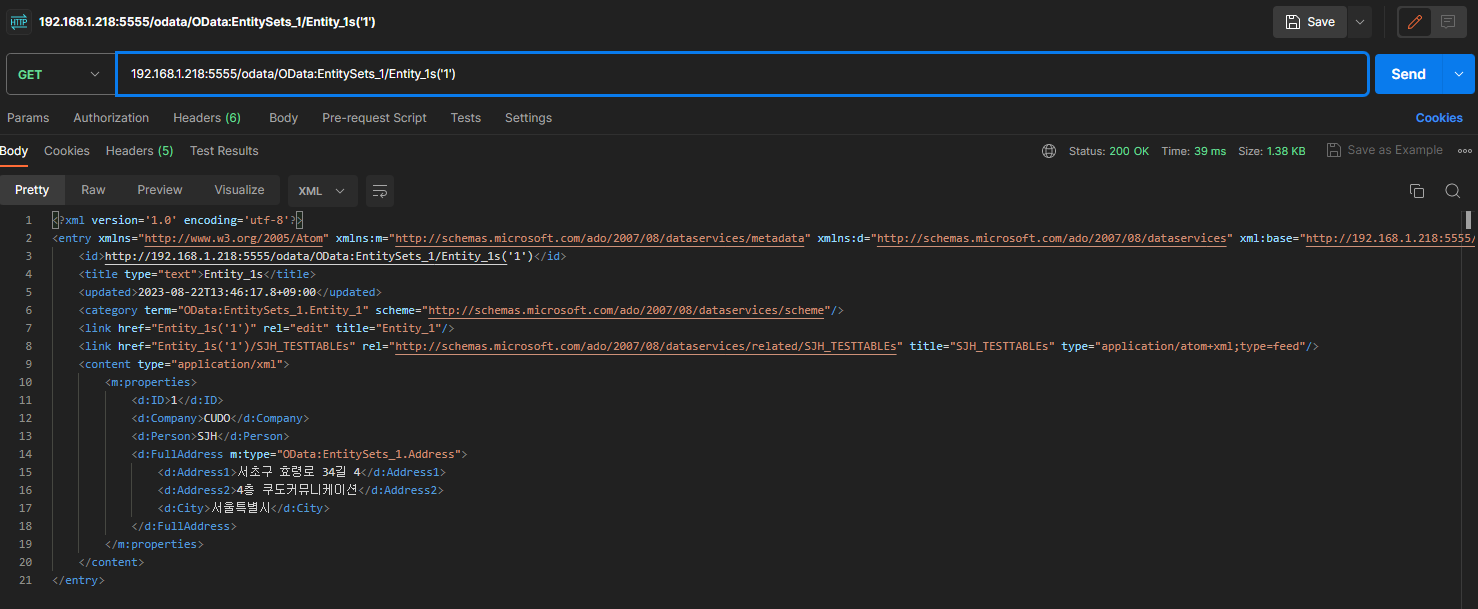
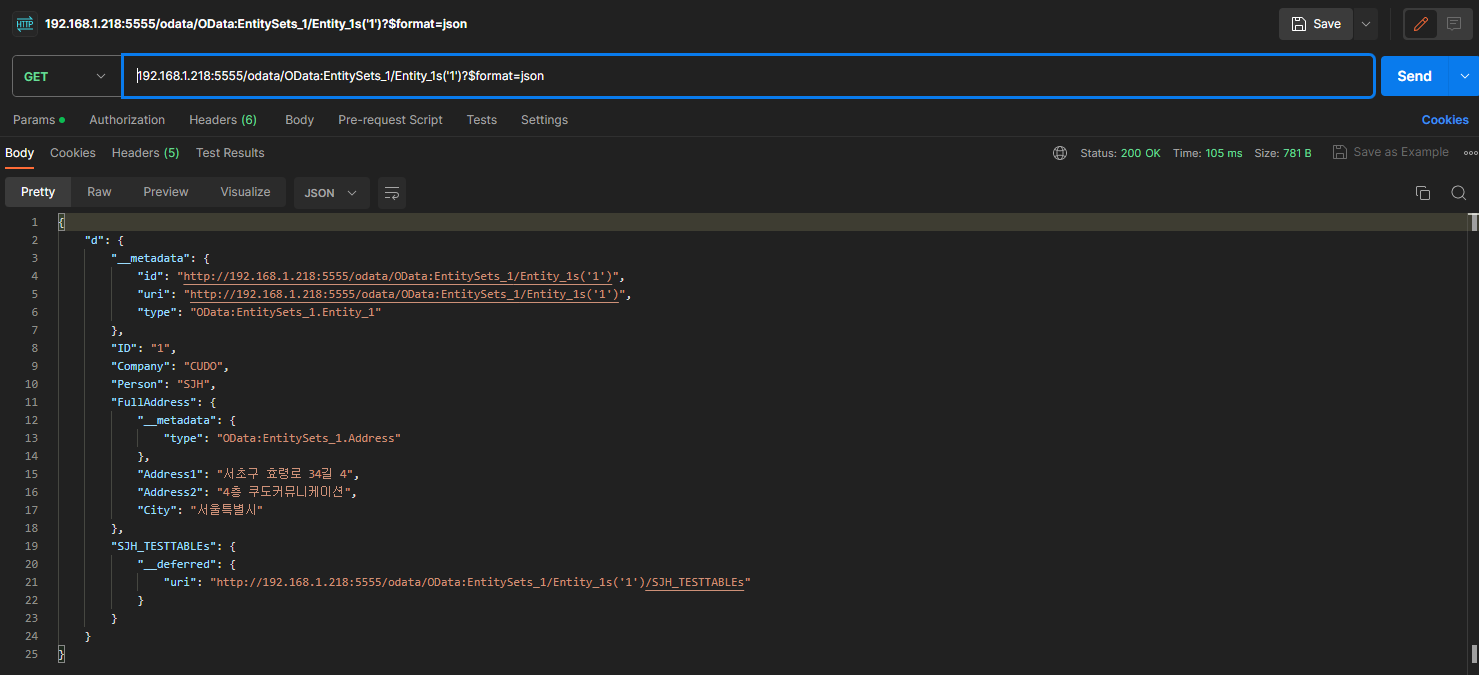
$format=json 을 사용한 JSON 응답
3-4. Create Entity
URL - [POST] http://HOST:PORT/odata/{OData Service Full Name}/Entity명+’s’
[External Entity Type 호출 예시]

Header - Content Type : application/json
Request Body (JSON - 예시) :
{"NAME": "testUser3","EMAIL": "test3@cudo.co.kr","PHONENUMBER": "testUser3"}
201 Created 로 생성
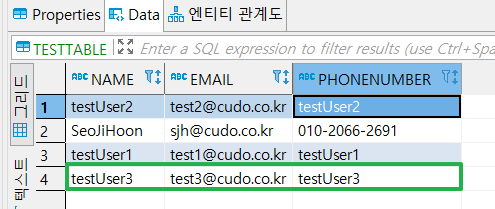
DB 데이터 확인
[Custom Entity Type 호출 예시]

_insert (Create) 서비스에 Custom Service 생성 (Input Document 를 Json 으로 변환시켜 Server Log에 로깅)
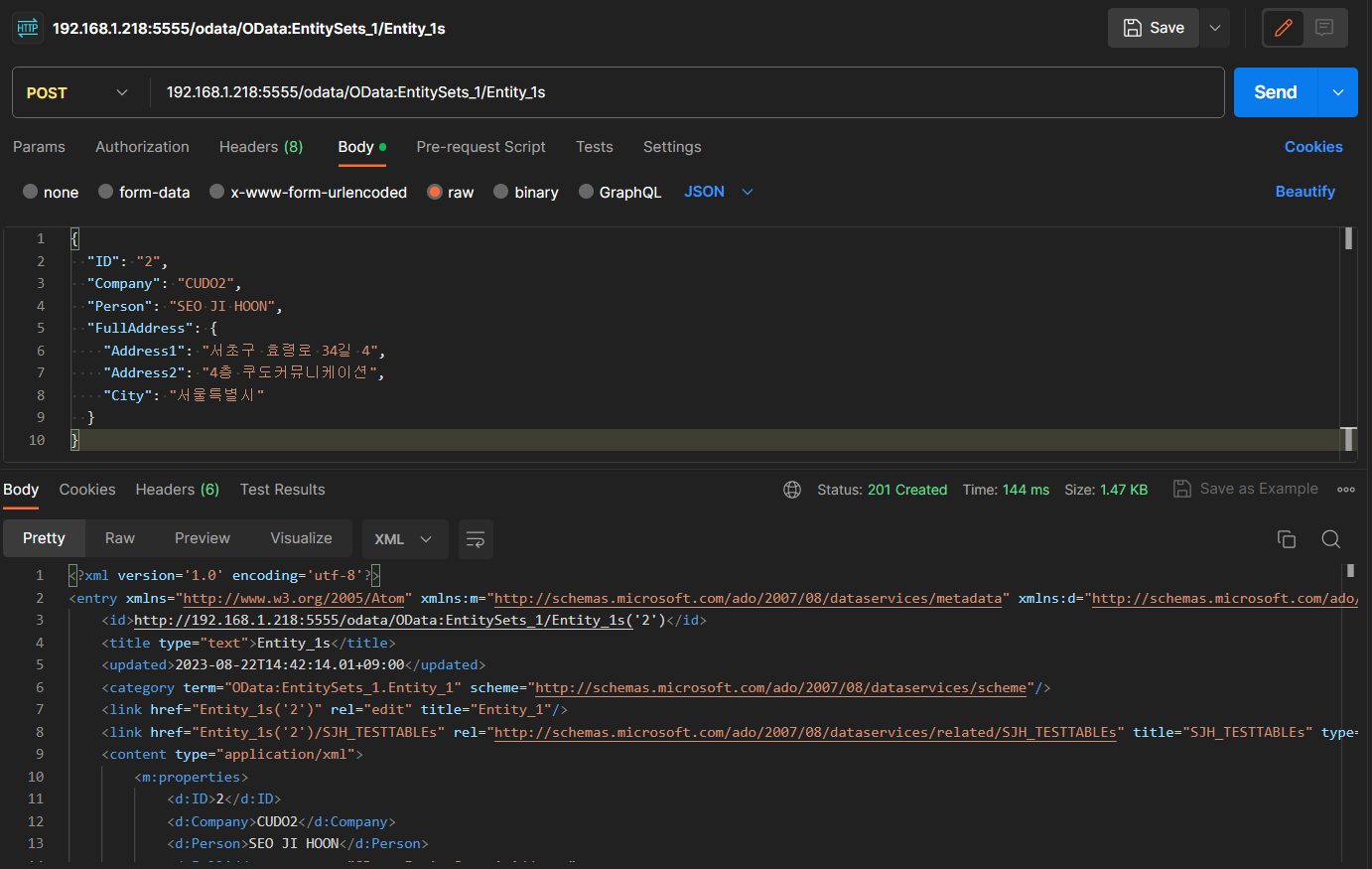
Request Body (JSON)
# Request Body{"ID": "2","Company": "CUDO2","Person": "SEO JI HOON","FullAddress": {"Address1": "서초구 효령로 34길 4","Address2": "4층 쿠도커뮤니케이션","City": "서울특별시"}}
201 Created
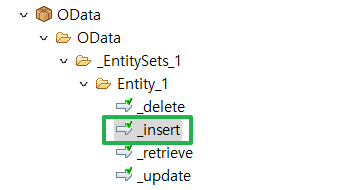
해당 호출은 미리 생성 한 _insert 서비스를 호출
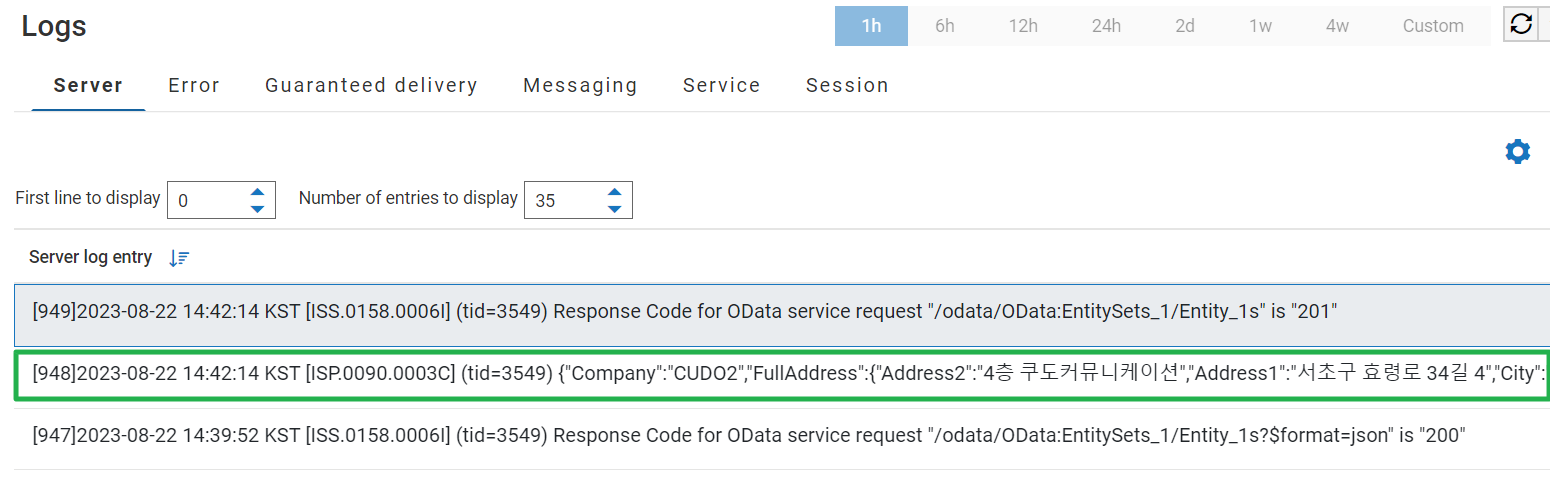
서비스 호출 확인
📌 DELETE , UPDATE Entity 는 [DELETE] [PUT] 메소드를 사용하여 동일하게 호출 가능[OData 호출 방법 참고]