
1. API Portal에서 API Gateway로 API 생성 (?)
APIs 생성 요청 패킷 분석 (Wireshark)
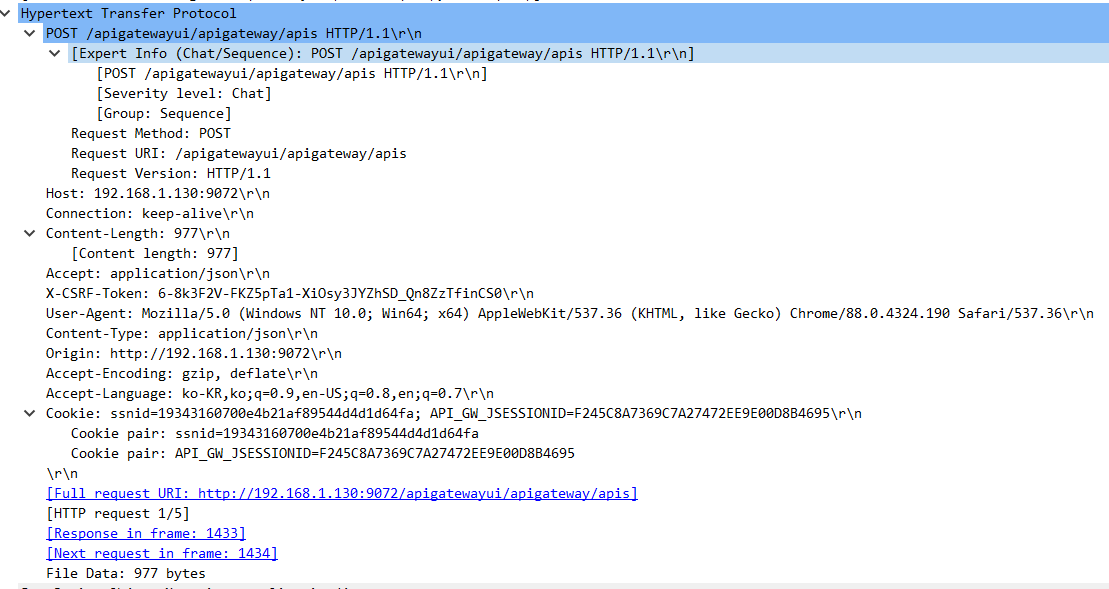
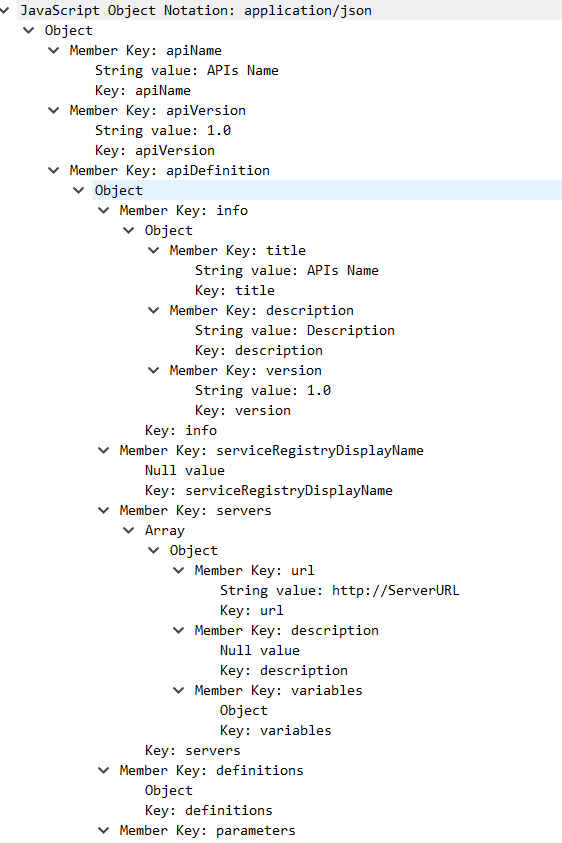


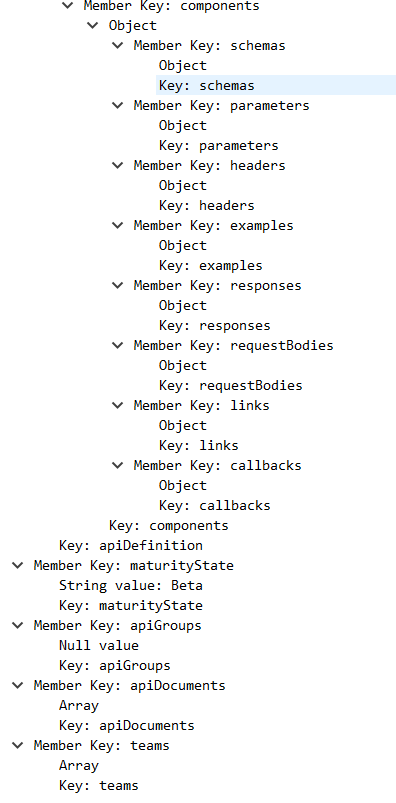

path값에 입력되는 document 명이 입력 받은 Resource Path 명으로 그대로 입력되는 문제..
값을 입력 받은 이름을 그대로 document명으로 생성하는 방법 찾아야 할 듯
apis :_post 서비스를 이용해서 서비스 호출 / publish 시 오류 발생

"errorDetails": "java.lang.IllegalArgumentException: Cannot deserialize instance of `java.util.ArrayList<com.softwareag.apigateway.api.model.rest.openapi.Server>` out of START_OBJECT token\n at [Source: UNKNOWN; line: -1, column: -1] (through reference chain: com.softwareag.apigateway.api.model.rest.RestAPI[\"servers\"])"
servers 입력 에러..?
문제 1) Resource Path 값이 document key 값으로 입력 ( document 명으로 ) 입력되어 scratch방식으로 apis 생성할 때 방법을 어떻게 해야 할지 모르겠음
문제 2) Resource Path값을 강제로 입력했을 때 servers 에 값을 잘못 입력했는지 IllegalArgumentException 에러가 발생함 => servers -> document -> document List로 변환해야
2. API Tracing - 각 단계별 log를 남겨 어디서 실패했는지 확인 (O)
< 접근 방법 >
-> IS service 를 통해 ElasticSearch에 data 를 insert 할 수 있는지 확인
pub.client.http 서비스 이용
생성할 인덱스는 해당 policy명으로 생성하고 들어가는 document 값들은 _transactionalevents 의 구조를 이용 함
"mappings": {"properties": {"apiName": {"type": "text"}}},"settings": {"index": {"creation_date": "1615180123780","number_of_shards": "1","number_of_replicas": "1","uuid": "6r2cFBZCToiMhogSPr6Hhg","version": {"created": "7020099"},"provided_name": "logging_data2"}}
put method를 이용하여 postman 에서 elasticsearch 로 request를 보내 index를 생성
ex ) logging_data , logging_data2, logging_data3, logging_data4 생성
document 추가해서 time data도 받을 필요....
put -> 인덱스 생성
delete -> 인덱스 삭제

{"settings" : {"number_of_shards" : 1,"number_of_replicas" : 1},"mappings" : {"properties" : {"apiName" : {"type" : "text"},"callStartTime":{"type" : "long"}}}}

"apiName" / "callStartTime" 값에 입력할 데이터 insert 하는 is 서비스 구현
id 값을 입력하고 insert 시에는 put 메소드 사용하여
예시) id값 1로 지정하여 put 메소드 request
{"apiName": "apiname1","callStartTime": "1101010101010"}

POST 메소드를 이용하여
{"apiName": "apiname2","callStartTime": "1101010101010"}
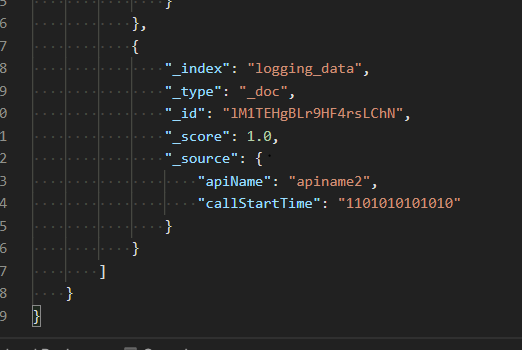
IS service 로 구현

Input :

pub.client.http 값
method : post
auth : Administrator/manage
headers > content-Type : application/json

1,2,3,4 만들어서 각각 다른 index에 logging 데이터가 쌓이도록 구성 (X)
=> 같은 인덱스에 구성하기
=> 같은 인덱스에 쌓이도록 하고 시간 값으로 request 구분, Id 값 같이 한 request에 같은 값이 이어지도록 확인
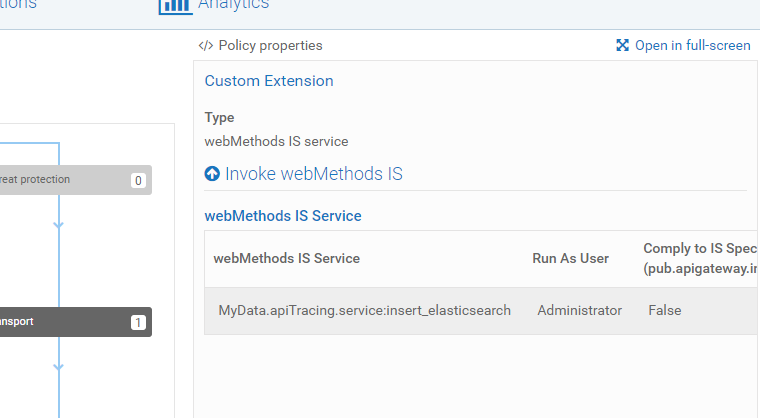
Policy 에서 설정 값
총 5군데 Custom Extension 구성
호출 후 Logging index Search 시에 각각의 id값이 다르게.. 들어감..
id 값을 지정해서 넣어야 ..
fh
{"took": 612,"timed_out": false,"_shards": {"total": 1,"successful": 1,"skipped": 0,"failed": 0},"hits": {"total": {"value": 4,"relation": "eq"},"max_score": 1.0,"hits": [{"_index": "logging_data2","_type": "_doc","_id": "6c2VEHgBLr9HF4rs6igy","_score": 1.0,"_source": {"apiName": "BANK-001_1","callStartTime": "210308"}},{"_index": "logging_data2","_type": "_doc","_id": "6s2VEHgBLr9HF4rs6ig3","_score": 1.0,"_source": {"apiName": "BANK-001_2","callStartTime": "210308"}},{"_index": "logging_data2","_type": "_doc","_id": "682VEHgBLr9HF4rs6ihB","_score": 1.0,"_source": {"apiName": "BANK-001_3","callStartTime": "210308"}},{"_index": "logging_data2","_type": "_doc","_id": "7M2VEHgBLr9HF4rs6ihK","_score": 1.0,"_source": {"apiName": "BANK-001_4","callStartTime": "210308"}}]}}
=> POST method Request 시에 id 값이 랜덤으로 들어감
-> PUT 으로 다시 설정

url -> _doc/id값으로 변경
method -> put
insert 하면 _id 값을 하나로 통일하면 한번 로그를 쌓고 오류를 발생, 이후 값들이 안 쌓임
2_1 , 2_2, 2_3, 2_4로 하면 ...구분은 되는데... id값을 어떻게 넣어야 할지 .. <
{"_index": "logging_data2","_type": "_doc","_id": "2_1","_score": 1.0,"_source": {"apiName": "BANK-001_1","callStartTime": "210308"}},{"_index": "logging_data2","_type": "_doc","_id": "2_2","_score": 1.0,"_source": {"apiName": "BANK-001_2","callStartTime": "210308"}},{"_index": "logging_data2","_type": "_doc","_id": "2_3","_score": 1.0,"_source": {"apiName": "BANK-001_3","callStartTime": "210308"}},{"_index": "logging_data2","_type": "_doc","_id": "2_4","_score": 1.0,"_source": {"apiName": "BANK-001_4","callStartTime": "210308"}}
=> 다시.. POST 로..
=> 특정 identfier 값을 입력 받는 Document로 생성하여 한 request에서 같은 특정 identifier 값을 집어넣으면 가능 할 듯
(callStartTime 값을 전부 동일하게 넣어서 실험 시에 같은 document값은 중복 입력되는 것이 상관 없음)
그러나, identifier 값을 어디서 생성하고 어떤 값을 불러올 지가 문제
< 최종 > logging_data2 -> index
{"settings" : {"number_of_shards" : 1,"number_of_replicas" : 1},"mappings" : {"properties" : {"request_id":{"type" : "long"},"apiName" : {"type" : "text"},"status" : {"type" : "text"},"current_time" : {"type" : "long"}}}}
-> api 정상 호출 시에 Elasticsearch 에 저장되는 값
requset_id : 001
"hits": [{"_index": "logging_data2","_type": "_doc","_id": "Kc2DFHgBLr9HF4rsSSsw","_score": 1.0,"_source": {"request_id": "001","apiName": "BANK-001","status": "Identify_Access","current_time": "160411"}},{"_index": "logging_data2","_type": "_doc","_id": "Ks2DFHgBLr9HF4rsSSs2","_score": 1.0,"_source": {"request_id": "001","apiName": "BANK-001","status": "RequestProcessing","current_time": "160411"}},{"_index": "logging_data2","_type": "_doc","_id": "K82DFHgBLr9HF4rsSStB","_score": 1.0,"_source": {"request_id": "001","apiName": "BANK-001","status": "Routing","current_time": "160411"}},{"_index": "logging_data2","_type": "_doc","_id": "LM2DFHgBLr9HF4rsSStF","_score": 1.0,"_source": {"request_id": "001","apiName": "BANK-001","status": "ResponseProcessing","current_time": "160411"}}]
request_id : 002
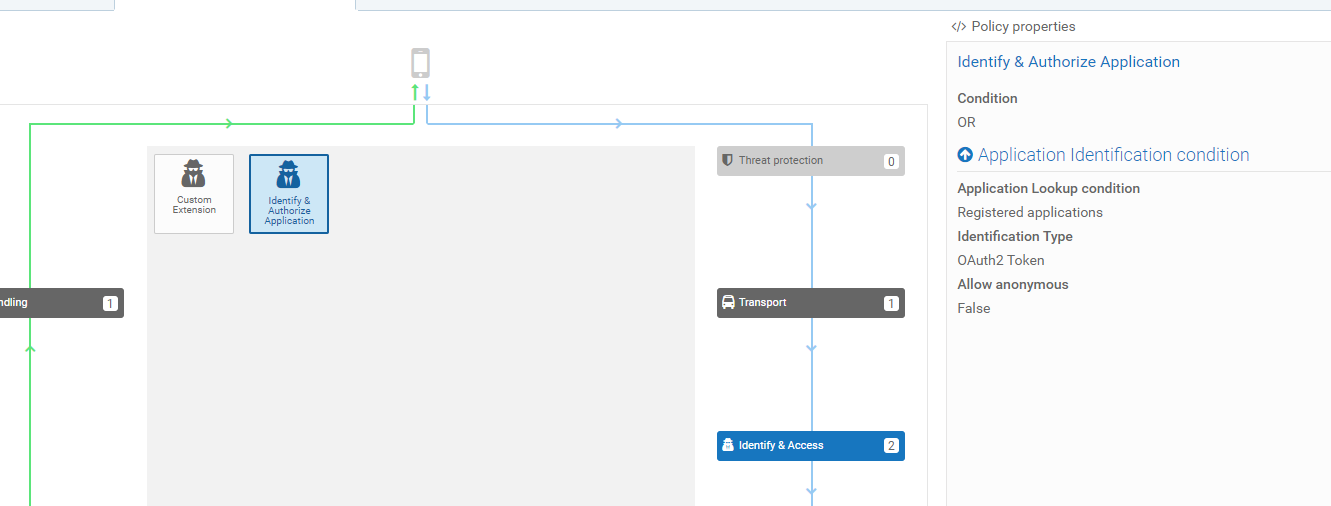
Oauth 인증을 지정하고
Request Processing 에서 에러를 발생 시킴
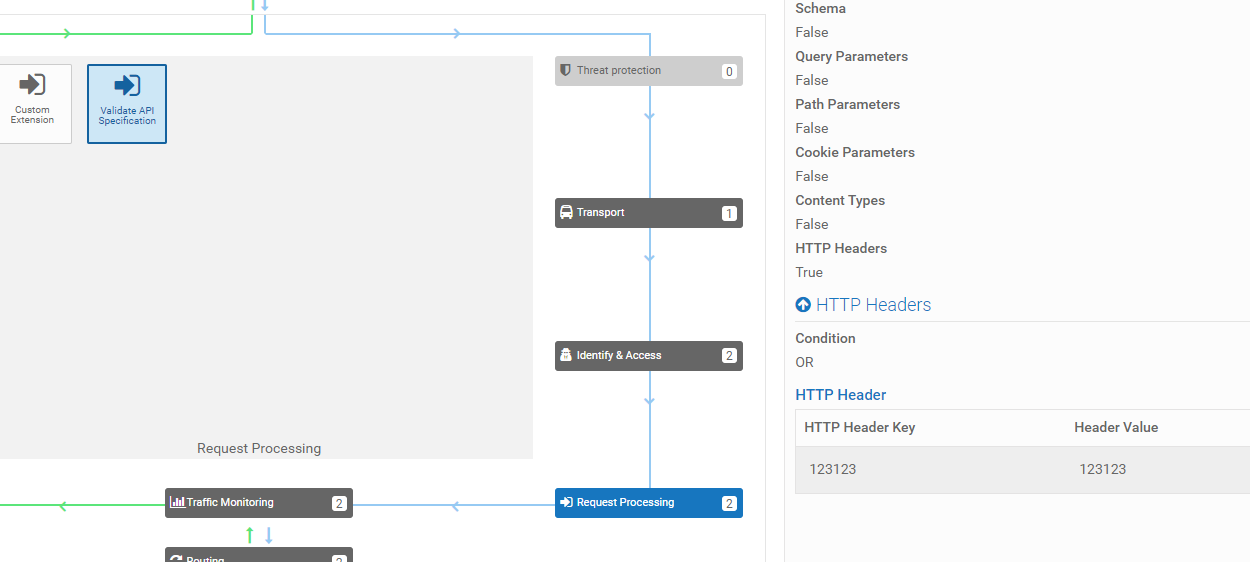

토큰 발급 받아 request

Error Message: API Specification validation failed. Request headers do not match with API headers
//?????
-> 로그가 response 빼고 다 남아서...
"hits": {"total": {"value": 3,"relation": "eq"},"max_score": 1.0,"hits": [{"_index": "logging_data2","_type": "_doc","_id": "Sc2cFHgBLr9HF4rsCCt4","_score": 1.0,"_source": {"request_id": "002","apiName": "BANK-001","status": "Identify_Access","current_time": "163113"}},{"_index": "logging_data2","_type": "_doc","_id": "Ss2cFHgBLr9HF4rsCCt-","_score": 1.0,"_source": {"request_id": "002","apiName": "BANK-001","status": "RequestProcessing","current_time": "163113"}},{"_index": "logging_data2","_type": "_doc","_id": "S82cFHgBLr9HF4rsCCuL","_score": 1.0,"_source": {"request_id": "002","apiName": "BANK-001","status": "Routing","current_time": "163113"}}]
Routing에서 에러 발생 시킴

"hits": [{"_index": "logging_data2","_type": "_doc","_id": "Vc2fFHgBLr9HF4rstium","_score": 1.0,"_source": {"request_id": "002","apiName": "BANK-001","status": "Identify_Access","current_time": "163514"}},{"_index": "logging_data2","_type": "_doc","_id": "Vs2fFHgBLr9HF4rstius","_score": 1.0,"_source": {"request_id": "002","apiName": "BANK-001","status": "RequestProcessing","current_time": "163514"}},{"_index": "logging_data2","_type": "_doc","_id": "V82fFHgBLr9HF4rstiu2","_score": 1.0,"_source": {"request_id": "002","apiName": "BANK-001","status": "Routing","current_time": "163514"}}]
결과값...
identify & Access 부분에서 에러를 발생

편의를 위해 index를 삭제, 재생성 후 request_id = 002 로 실험
"hits": [{"_index": "logging_data2","_type": "_doc","_id": "XM2iFHgBLr9HF4rsRSvh","_score": 1.0,"_source": {"request_id": "002","apiName": "BANK-001","status": "Identify_Access","current_time": "163802"}},{"_index": "logging_data2","_type": "_doc","_id": "Xc2iFHgBLr9HF4rsRisl","_score": 1.0,"_source": {"request_id": "002","apiName": "BANK-001","status": "Routing","current_time": "163802"}}]
왜 인지 모르겠는데..
authorize error는 나지만
Routing 과 identyfy 로깅이 쌓이는...

=> 해당 프로세스를 savePipelineToFile 서비스를 이용하여 분석
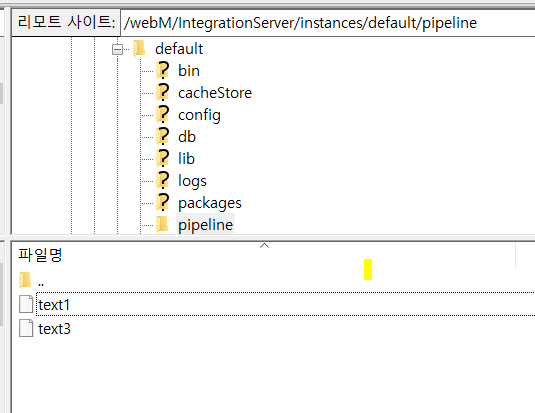
text1.txt(identify_access)
=>
eyJfaW5kZXgiOiJsb2dnaW5nX2RhdGEyIiwiX3R5cGUiOiJfZG9jIiwiX2lkIjoiaDgyM0ZIZ0JMcjlIRjRyczV5c00iLCJfdmVyc2lvbiI6MSwicmVzdWx0IjoiY3JlYXRlZCIsIl9zaGFyZHMiOnsidG90YWwiOjIsInN1Y2Nlc3NmdWwiOjEsImZhaWxlZCI6MH0sIl9zZXFfbm8iOjAsIl9wcmltYXJ5X3Rlcm0iOjF9
text3.txt (routing)
eyJfaW5kZXgiOiJsb2dnaW5nX2RhdGEyIiwiX3R5cGUiOiJfZG9jIiwiX2lkIjoiaU0yM0ZIZ0JMcjlIRjRyczV5c2QiLCJfdmVyc2lvbiI6MSwicmVzdWx0IjoiY3JlYXRlZCIsIl9zaGFyZHMiOnsidG90YWwiOjIsInN1Y2Nlc3NmdWwiOjEsImZhaWxlZCI6MH0sIl9zZXFfbm8iOjEsIl9wcmltYXJ5X3Rlcm0iOjF9

body 에 bytes값 분석 .....
=> 게이트웨이 내부 Comply to IS Spec (pub.apigateway.invokeISService.specifications) 값을 true로 바꾸고
Specification Reference를 RequestSpec으로 바꿔서 input output 설정
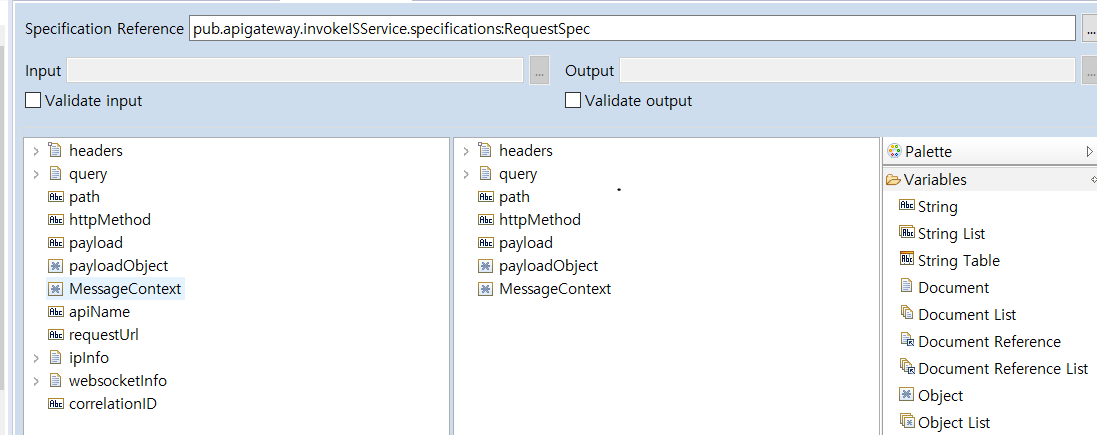
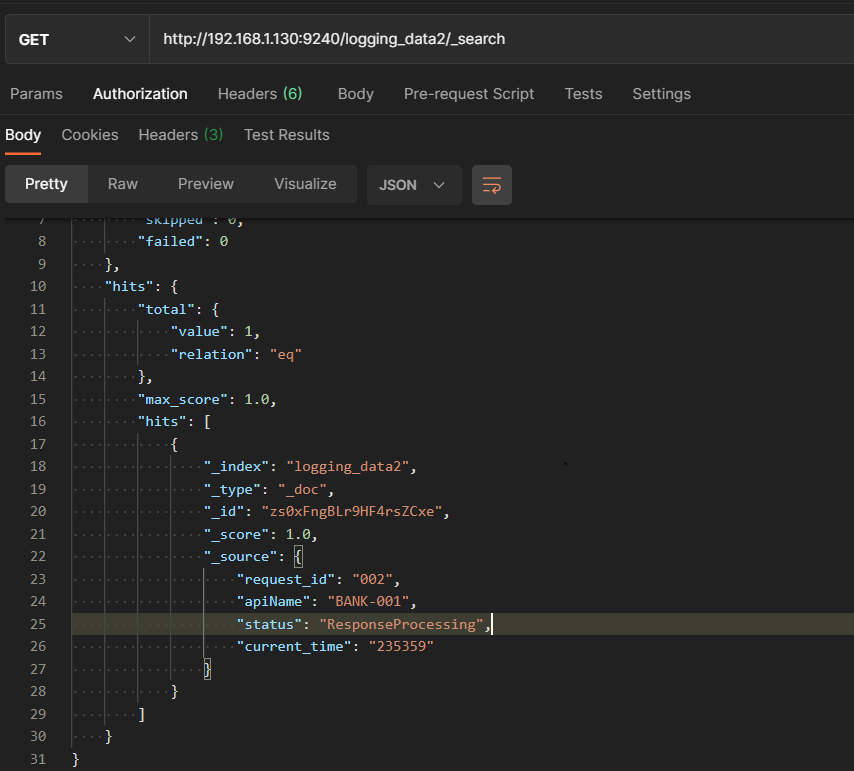
정상적으로 호출 됐을 때 response Processing 만 찍힘
이어지는 값 pipelinetofile로 확인
- Error Handling 부분 Conditional Error Processing 부분 확인해보기
왜 로컬에서 invoke가 안되지..???

comply to IS Spec 을 false 로 하면 찍히는데 true로 바꿨을 때 안 찍힘..;;
=> local 이랑 zencenter GW 차이 알아내기 설정 값
192.168.1.130 Gateway BANK-001 policy 설정화면
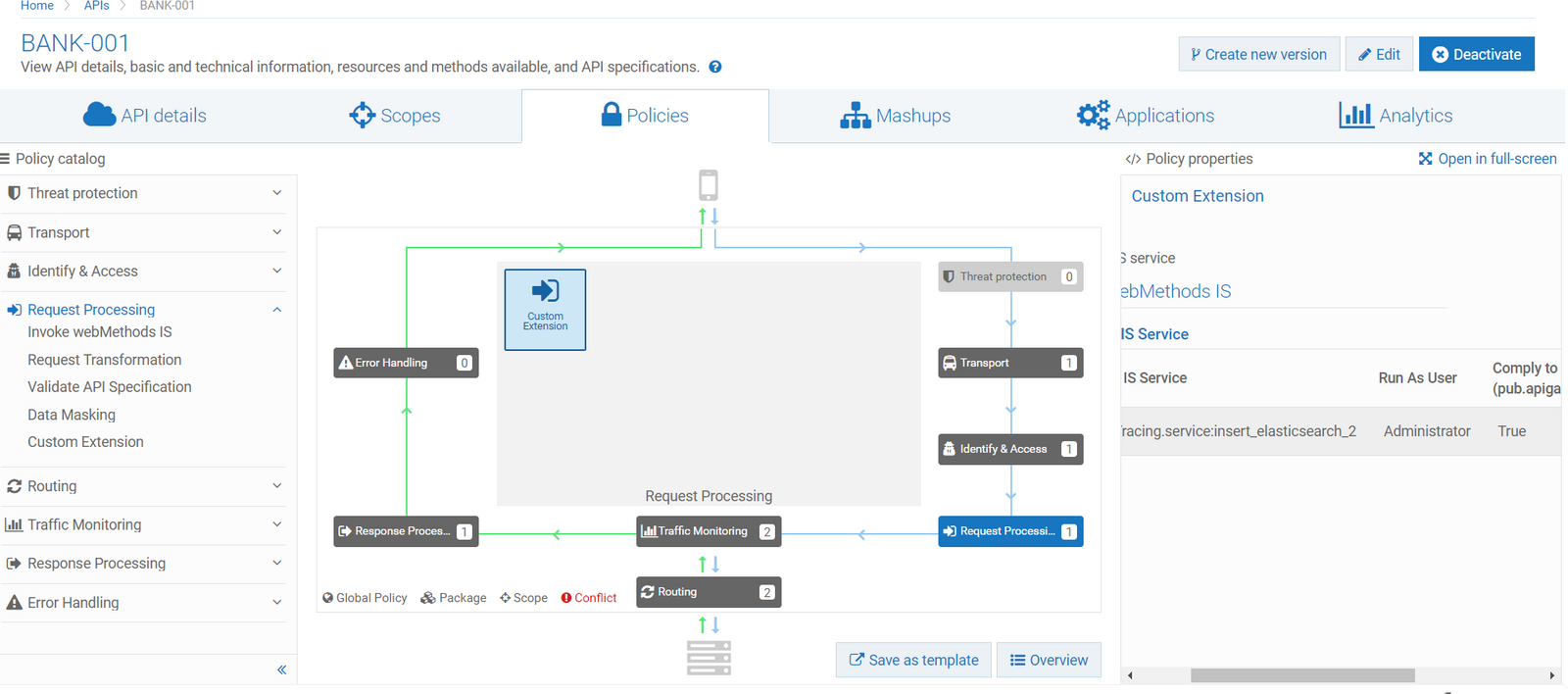
IS service -> insert_elasticsearch_1~4 // Administrator // Comply to IS Spec (true)
에러 발생시키기??
< 문제 >
1. Comply to IS Spec(true) 일 때 한 request가 끝까지 수행되어야 custom Extention을 수행,
correctionID 값이 동일하게 나오는데 이 값이 동일한 invoke service IS 를 무시해버린다.
2. Comply to IS Spec(false) 일 때 request를 하나의 ID 값으로 묶을 때 임의로 넣어주어야 한다.