[23/08/07 수정]
- References
- SAP ABAP 다운로드 (sjh@cudo.co.kr // 삼선짬뽕1234!)
- SAP 이란
- SAP ERP는 '업무를 지원하는 프로그램'이다. 알다시피 SAP ERP는 많은 대기업에서 널리 쓰이고 있으며, 따라서 지원하는 업무의 범위는 '방대'하다.
- 'ABAP'이란 SAP에서만 쓰는 '개발 언어'이다.
- SAP ERP 의 모듈은 4가지로 나뉜다
- 회계 모듈 : FI(재무회계), CO(관리회계), TR(자금관리)
- 물류 모듈 : SD(판매 및 영업관리), MM(구매 및 자재관리), PP(생산관리), QM(품질관리), PM(설비관리), LE(출하 및 배송업무, 창고관리)
- 인사 모듈 : HR(인사관리)
- 공통 모듈 : PS( 프로젝트 관리), OC(사무자동화), IS(업종별 솔루션)
- CentOS 7 VM 설정
- 16 core / 32GB RAM / 200G Storage
- 메모리 16GB 권장이지만 설치하면 오류 발생 ( Xen- CentOS7 기준 )
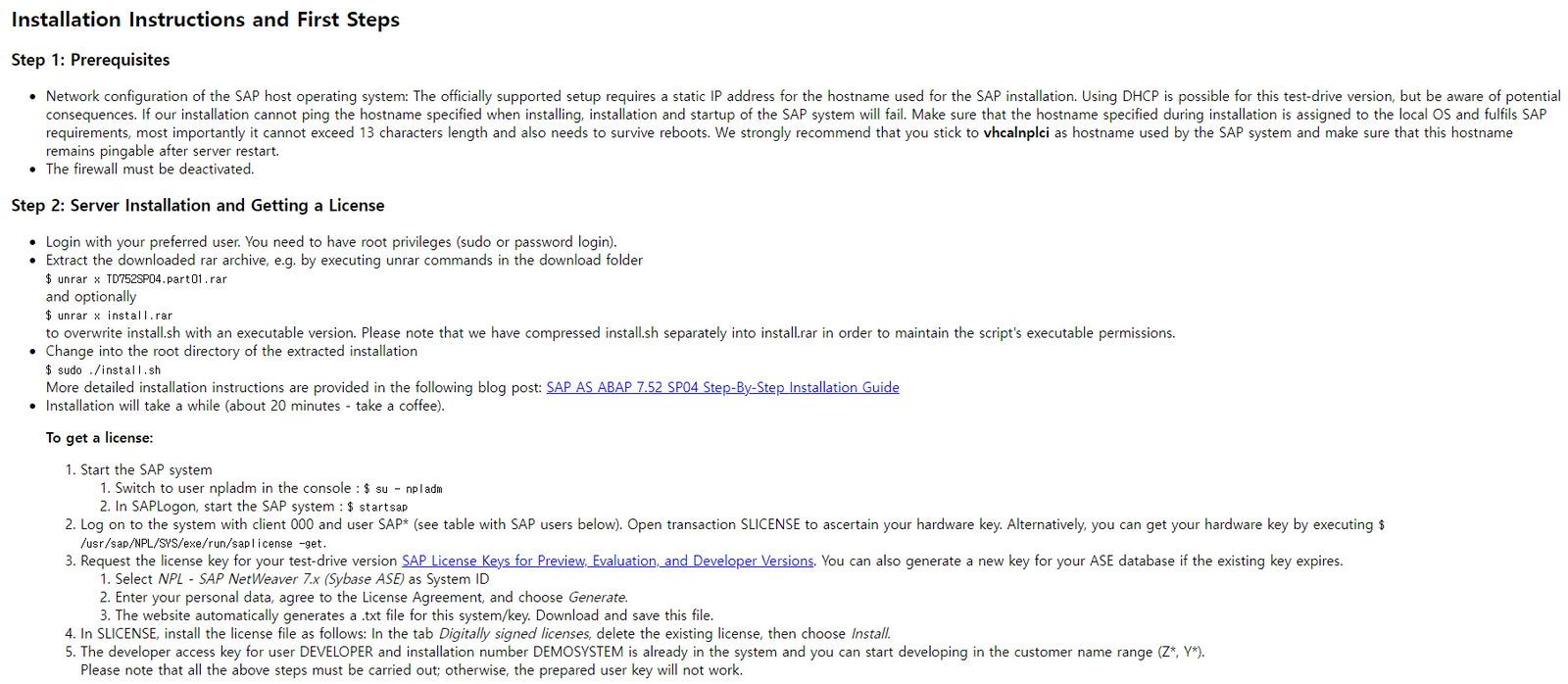
- 방화벽 해제 : systemctl stop firewalld && systemctl disable firewalld
- 호스트 명 : hostnamectl set-hostname saptestㅉ
- ip 확인 후 hosts 파일 수정 : vi /etc/hosts > 192.168.1.xx saptest > wq
$ yum groupinstall "Development Tools" "Large System Performance" "Network File System Client" "Performance Tool" "Compatibility library" "GNOME Desktop" "Graphical Administration Tools" -y$ yum groupinstall large-systems network-file-system-client performance compat-libraries -y
- SAP ABAP 설치
- https://developers.sap.com/trials-downloads.html (SAP NetWeaver AS ABAP Developer Edition 7.52 SP04 설치)
- SAP 계정 필요, SAP ABAP AS PART1 ~ 11 다운로드 후 SAP ABAP AS PART1 압축 풀고 VM 에 전송
- root 계정으로 설치
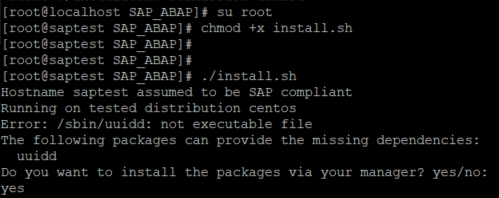
- 압축을 푼 파일의 install.sh 실행
- SAP 및 DB 시스템을 위한 OS 유저의 비밀번호 설정 필요
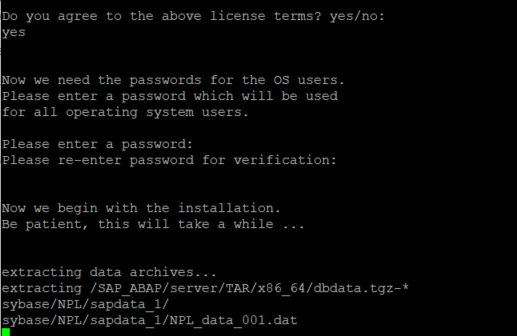
('Password#000' 으로 테스트)
**주의 패스워드 정책 ** 8자 이상 대문자,소문자,특수문자 포함
<설치 오류>
2021-04-14 11:40:33.878 (root/sapinst) (startInstallation) [CInstallerCallBackImpl.cpp:259] id=ind-rel.ind-os.ind-db.assertionFailed errno=CJS-00030 CInstallerCallBackImpl::abortInstallation()
Assertion failed: Unable to generate a new password for database login 'sa'. Refer to trace file sapinst_dev.log for further information.
반드시 ! 라이센스 갱신 필요 !
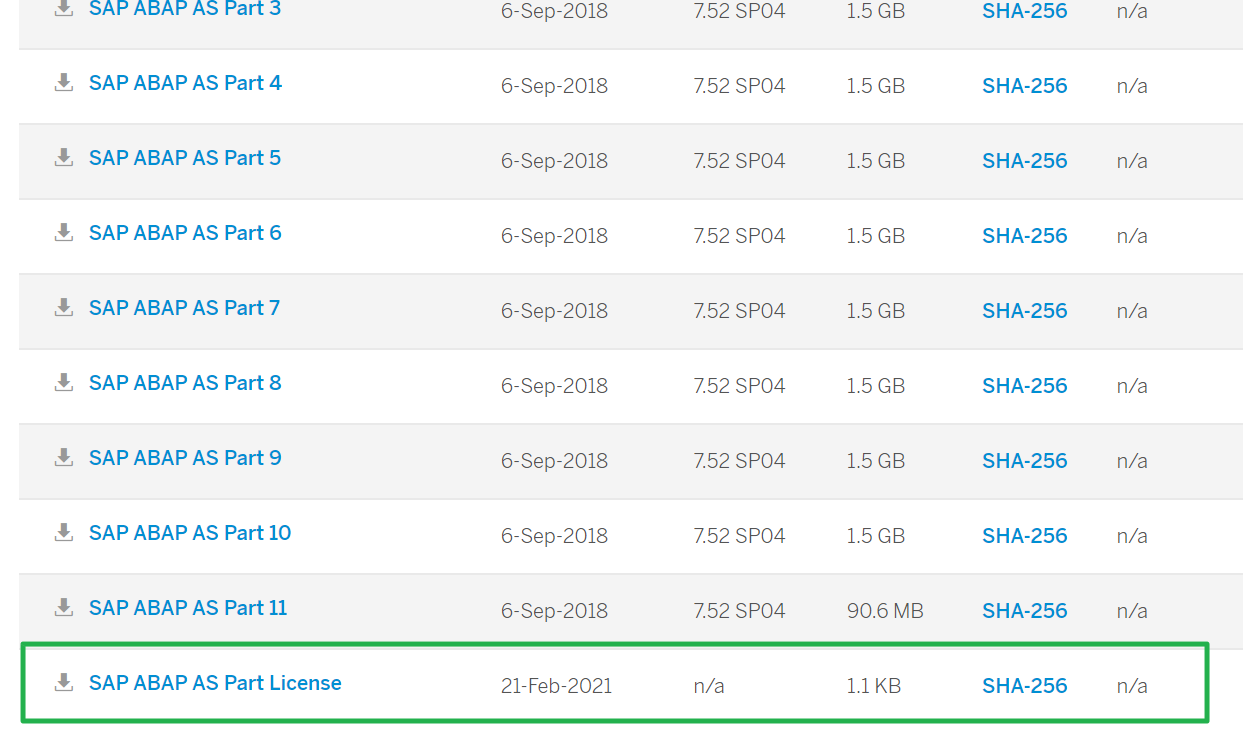
https://developers.sap.com/trials-downloads.html?search=ase 에서 ABAP 라이센스 다운 (SP04)
압축 풀고 설치 경로에 복붙
cp {신규 라이선스} /sybase/NPL/SYSAM-2_0/licenses/
Note. 라이선스 갱신 시 expire 체크! expire시 계속 오류 발생
이후 재 설치
./install.sh
- 서버 시작 & 종료 커멘드
- su npladm
- startsap ALL (시작)
- stopsap ALL (종료)
- SAP GUI 설치
- 다운로드 받은 SAP ABAP 에서 Client 툴 설치 ({{Download Directory}}\client\SAPGUI4Windows)
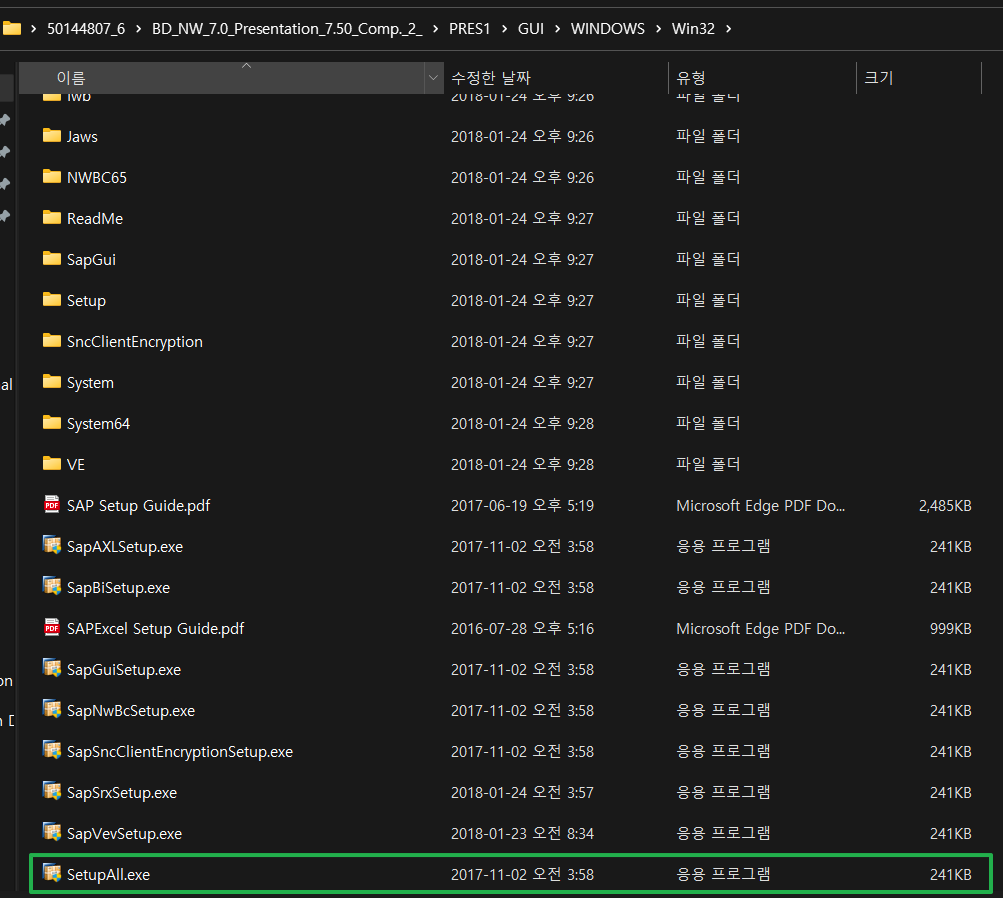
- 설치 옵션에서 SAP GUI for Windows 7.50 Compilation 2 아래에 있는 SAP GUI Suite 은 반드시 체크, 다른 것은 필요한 경우 선택
- SAP Logon 접속 방법
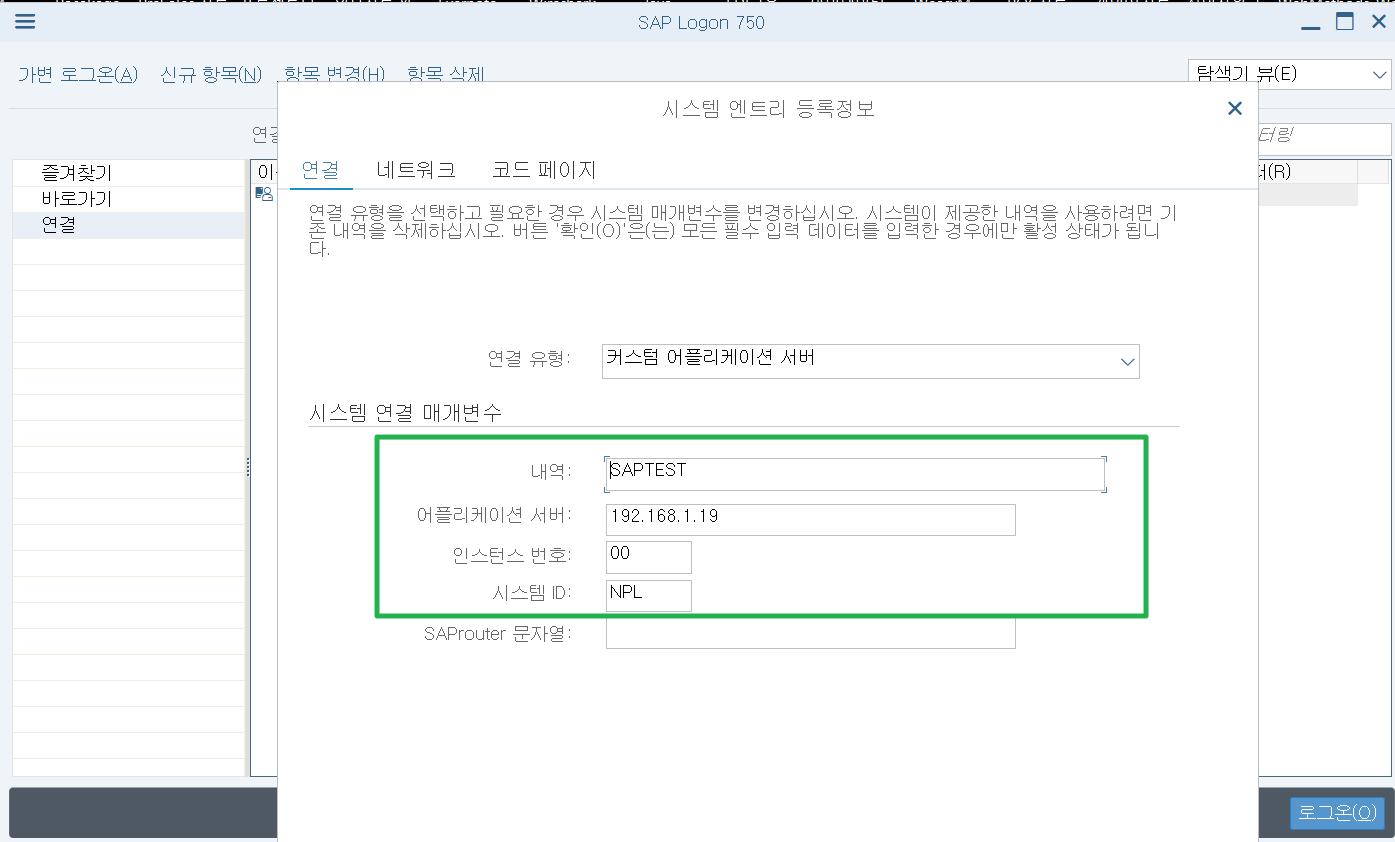
- 내역 : Alias
- 어플리케이션 서버 : SAP 서버의 IP
- 인스턴스 번호 : 00
- 시스템 ID : NPL
- 로그인
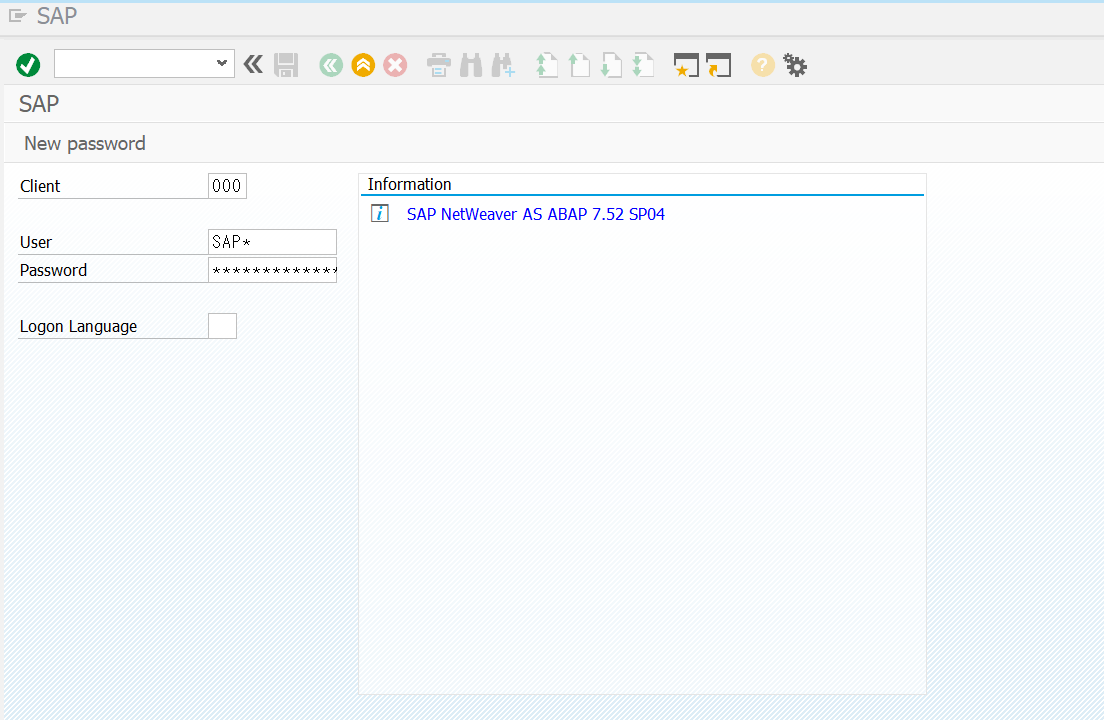
- user : sap*
- password : Down1oad
- 라이센스 확인 및 갱신
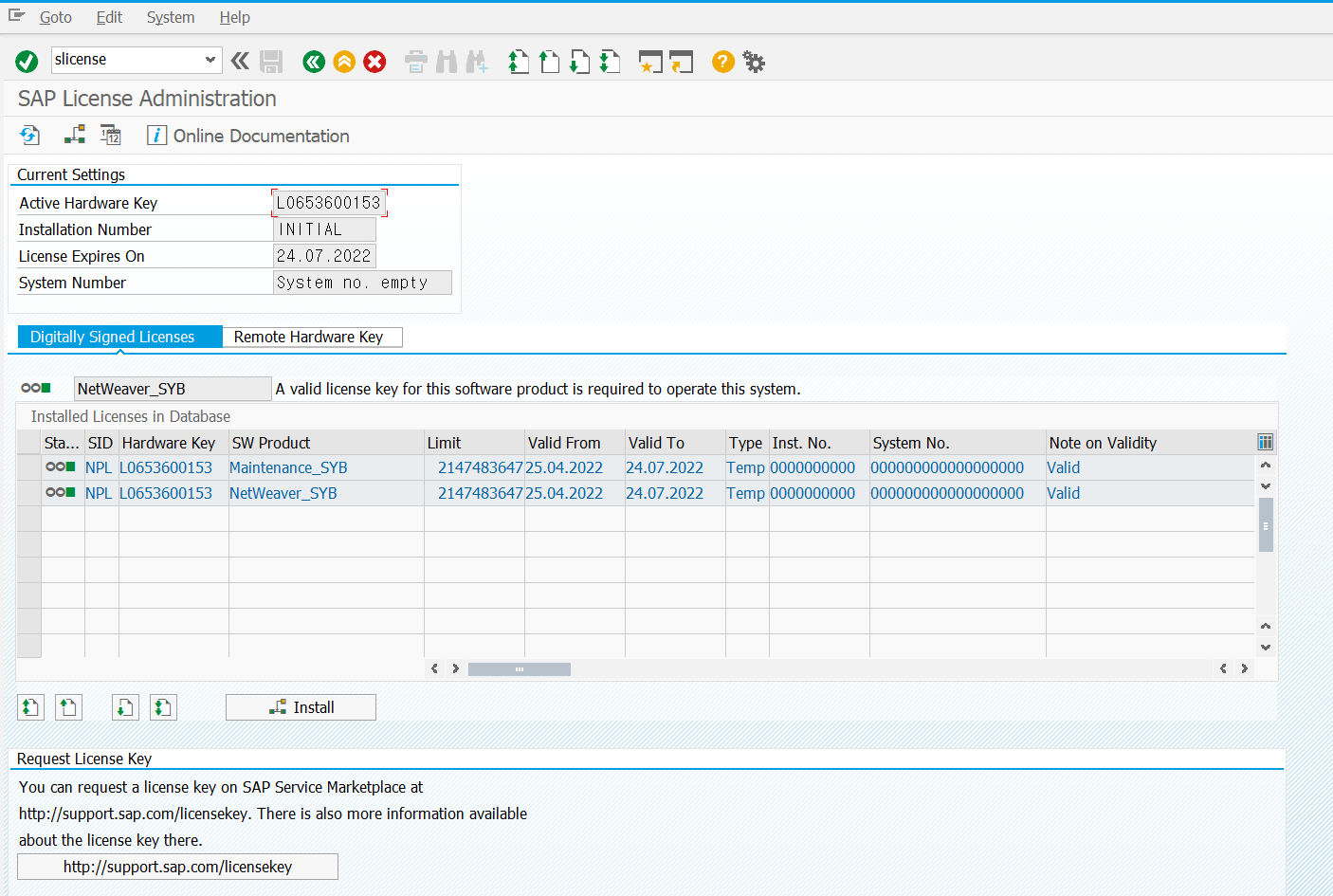
- Expired 된 라이센스는 지우고 다시 등록
- RFC 생성
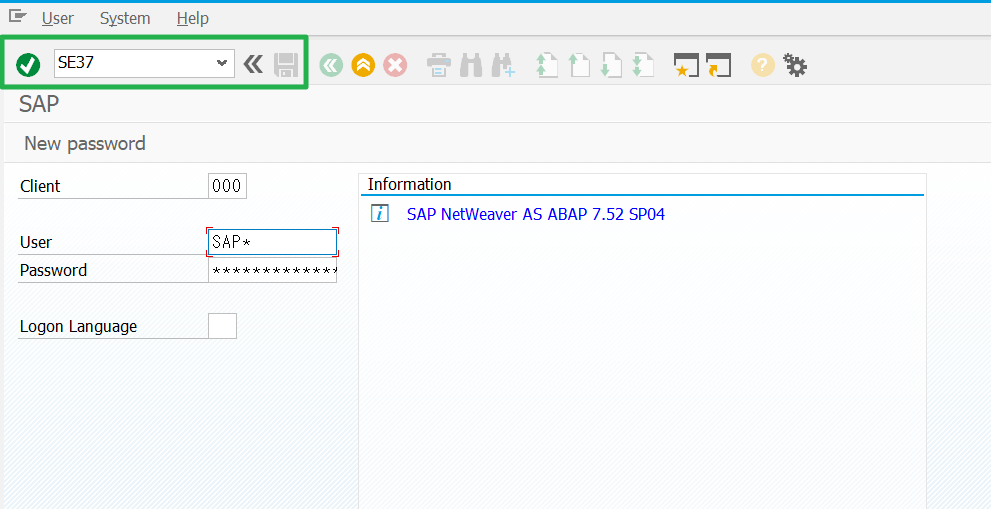
https://linor.tistory.com/36 (이후 가이드 참고)
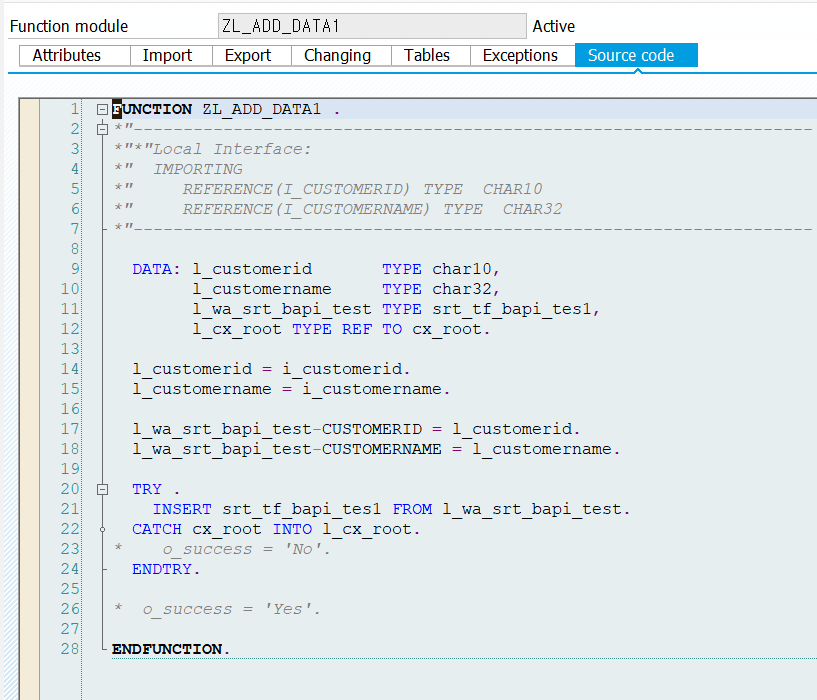
- SAP 커넥션 생성을 위해서는 jco 3.1.5 버전 이상 필요 (webMethods 10.11 SAP Adapter fix 10 기준)
Trouble Shooting && Tips
- License 문제
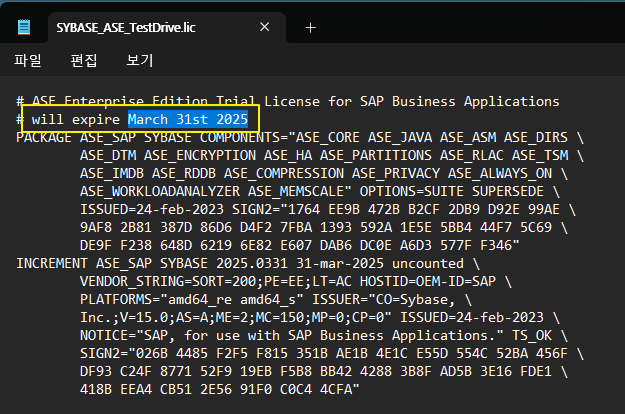
- 반드시 Expire 되지 않은 라이선스를 /sybase/NPL/SYSAM-2_0/licenses/ 위치에 복붙
- Hostname 문제

- vi /etc/hosts 아래 192.168.1.xx vhcalnplci 라인 추가 (권장)
- 방화벽은 반드시 OFF 후 설치
- systemctl stop firewalld && systemctl disable firewalld
- 공식 설치 가이드 - 압축파일 내 readme.html 참고