- References
- Publish - Subscribe 모델
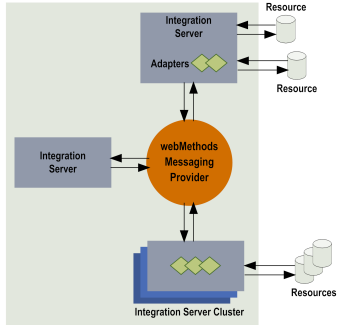
- 기본 제공 Local Queue를 이용한 Messaging Trigger 예시
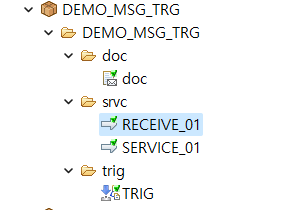
- 패키지
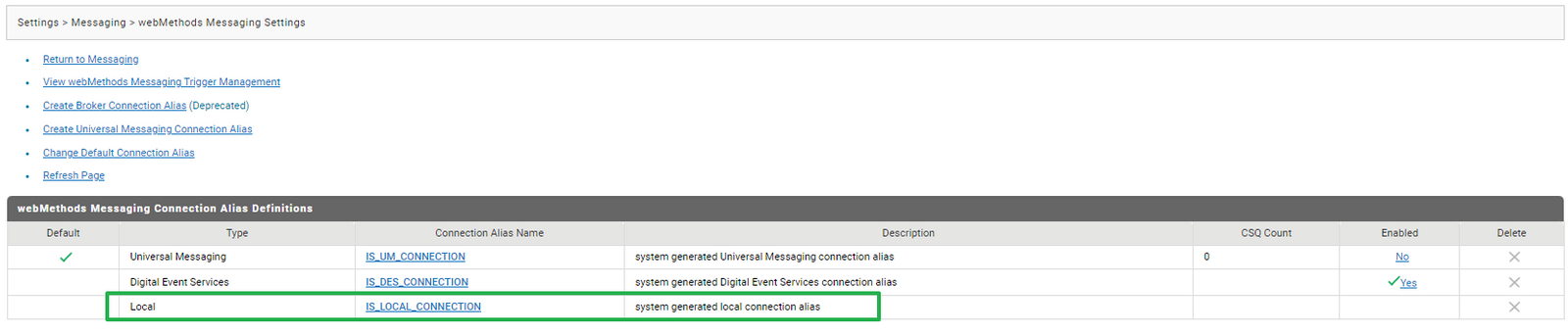
- 커넥션 확인 : IS_LOCAL_CONNECTION -> IS Local Messaging 서버
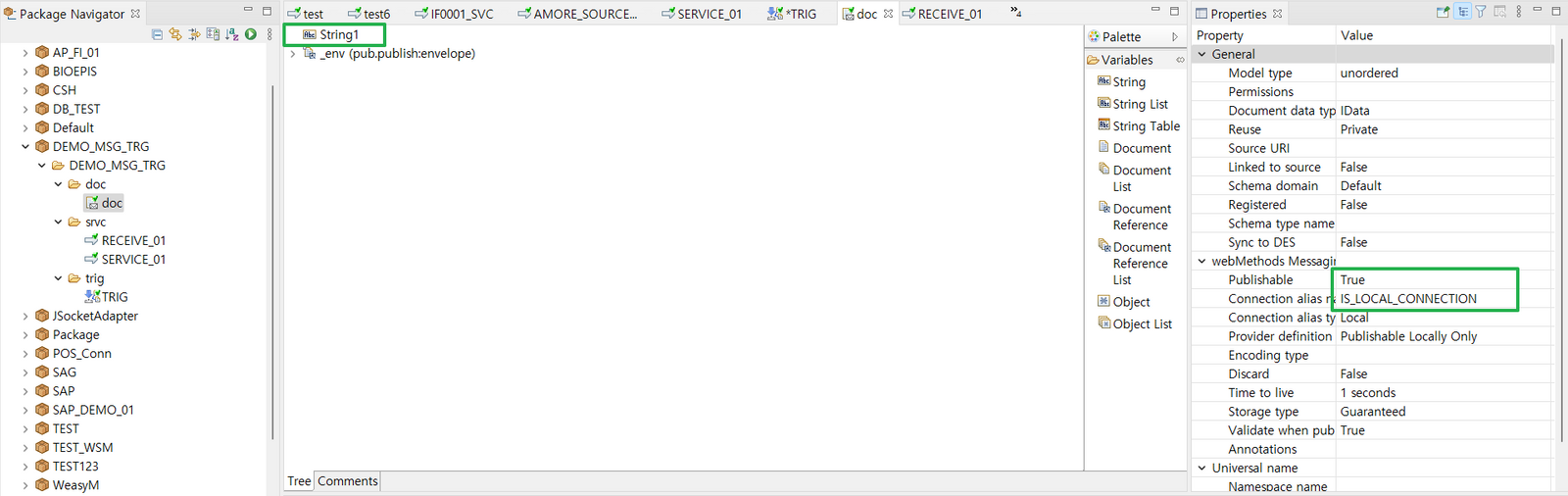
- Publish Document 구성
- Publishable -> True 로 설정 후 저장 -> _env Document 자동 생성
- Connection alias 를 IS_LOCAL_CONNECTION 으로 설정 =>IS Local Queue(기본 제공 작은 사이즈의 큐) 로 Publish
- Publish 서비스
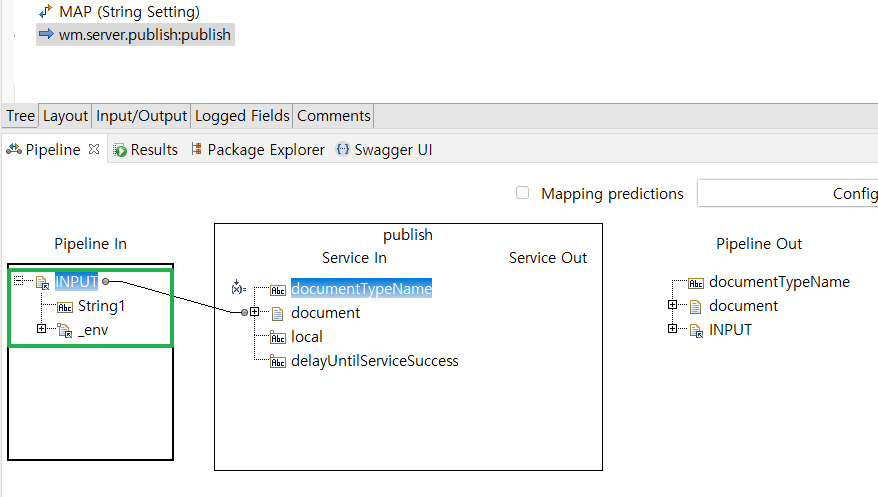
- wm.server.publish:publish 또는 pub.publish:publish 서비스 사용
- INPUT : publish document ==== publish > Service In Document 와 매핑
- documentTypeName : Publishable Document 의 Full Name ( 위 그림에서는 DEMO_MSG_TRG.doc:doc )
- Receive 서비스
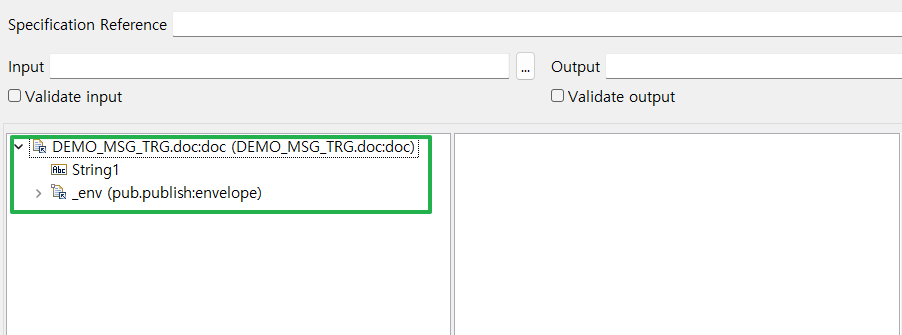
- INPUT에 document (*document 의 Full name 과 동일한 이름으로 설정해야 함*)
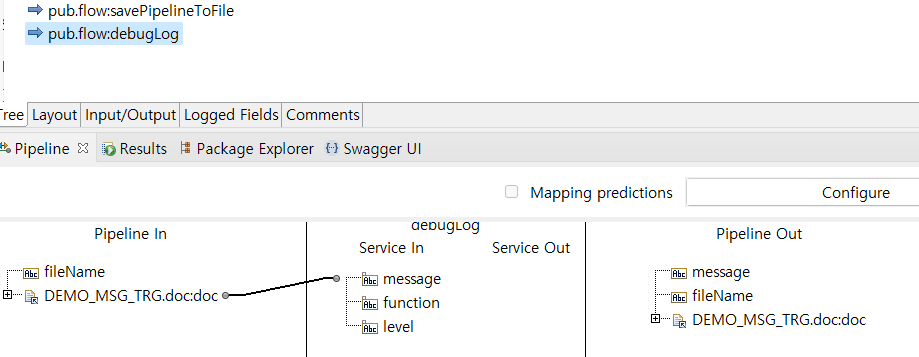
- 메세징 트리거로부터 전달받은 'doc' 의 String1 값을 서버로그에 Logging
- webMethods Messaging Trigger 생성
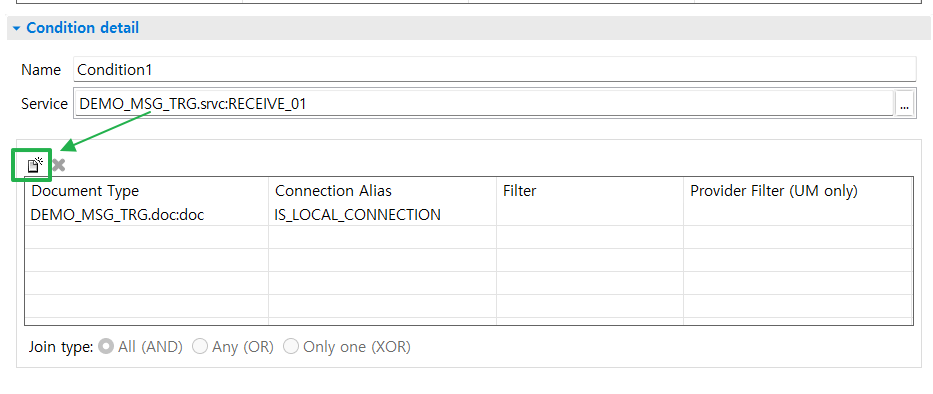
- Subscribe 할 서비스를 선택
- Conditional Detail -> Publishable Document Type 설정
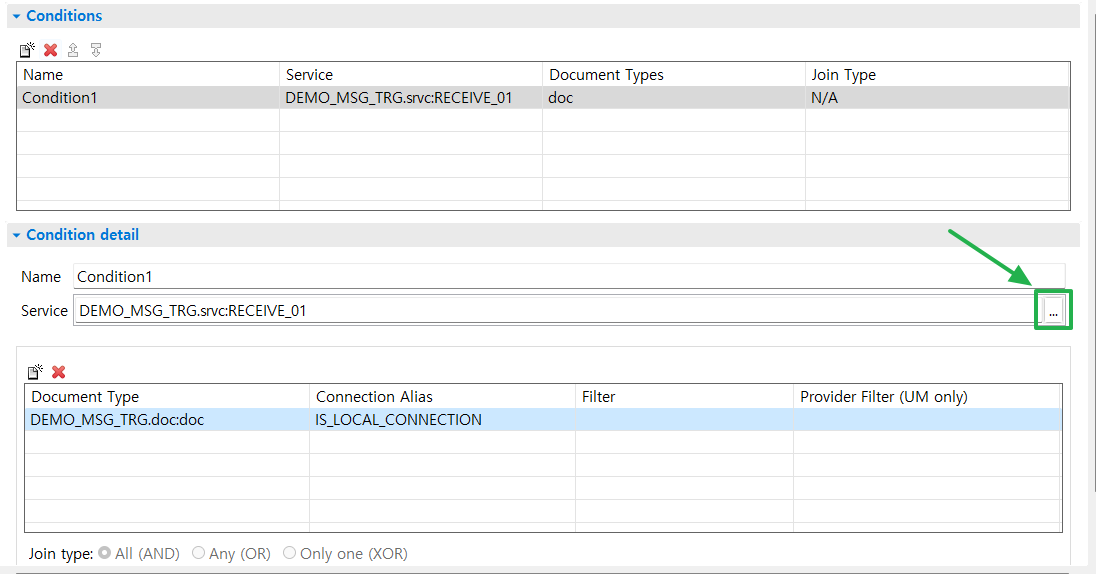
- Trigger가 감시 할 Document type 설정 => Publishable Document 매핑
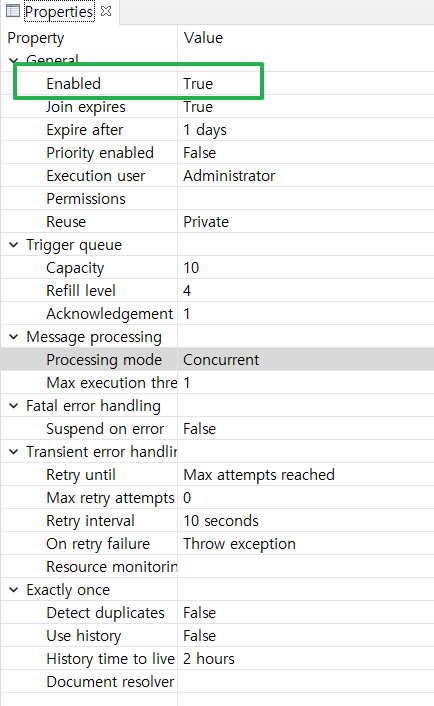
- Message Trigger의 Properties > Enabled : False -> True 로 변경
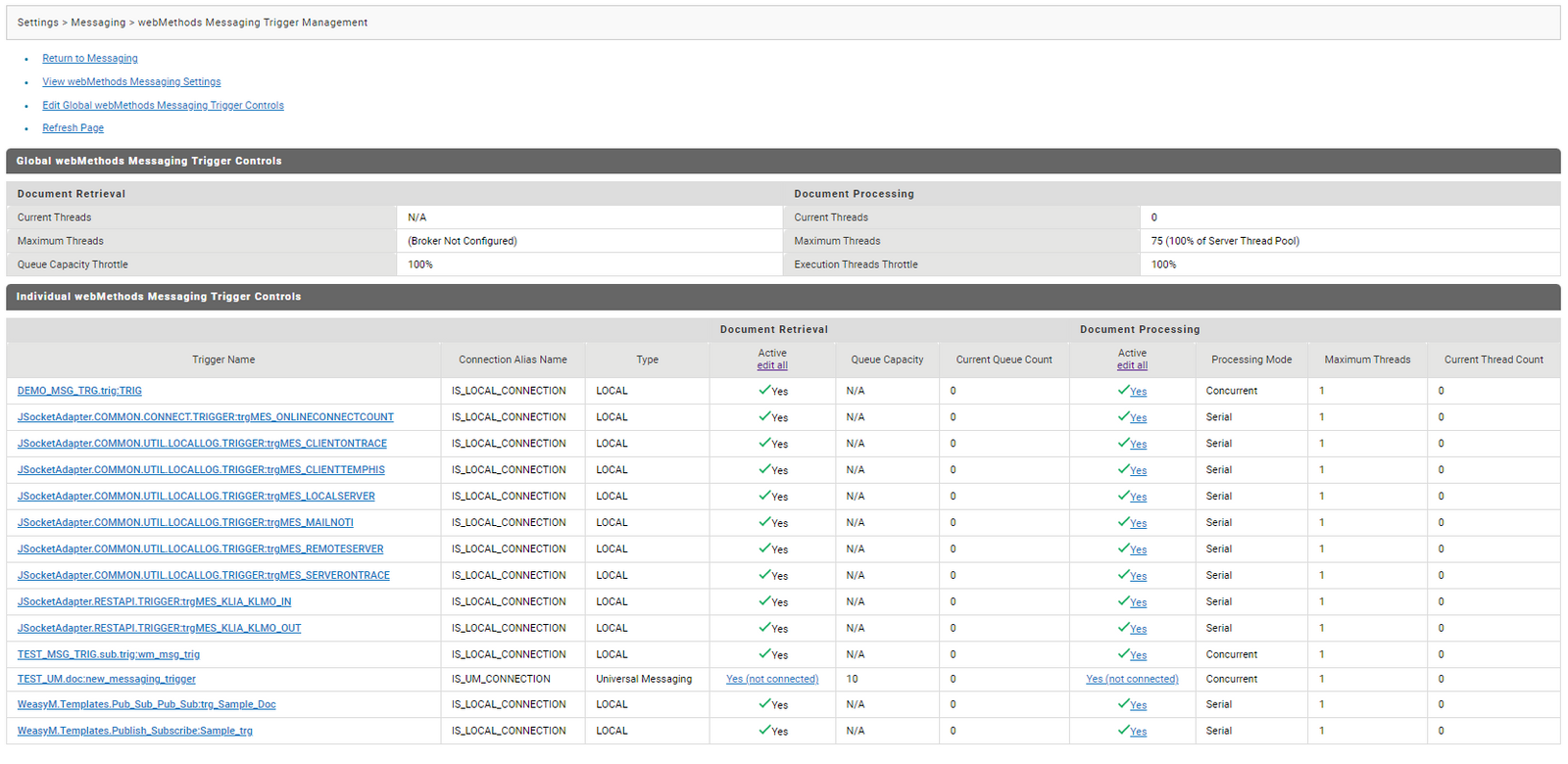
- IS Admin 화면에서 설정 가능
- IS 에서 webMethods Message Trigger Management > 트리거 확인
** 추가 스터디 **
webMethods Messaging Trigger 의 다른 Properties 값 확인